Change Sayso Map filters
Updated November 24, 2026
Tap Filters at the top of Sayso Map. Changes apply to your next search.
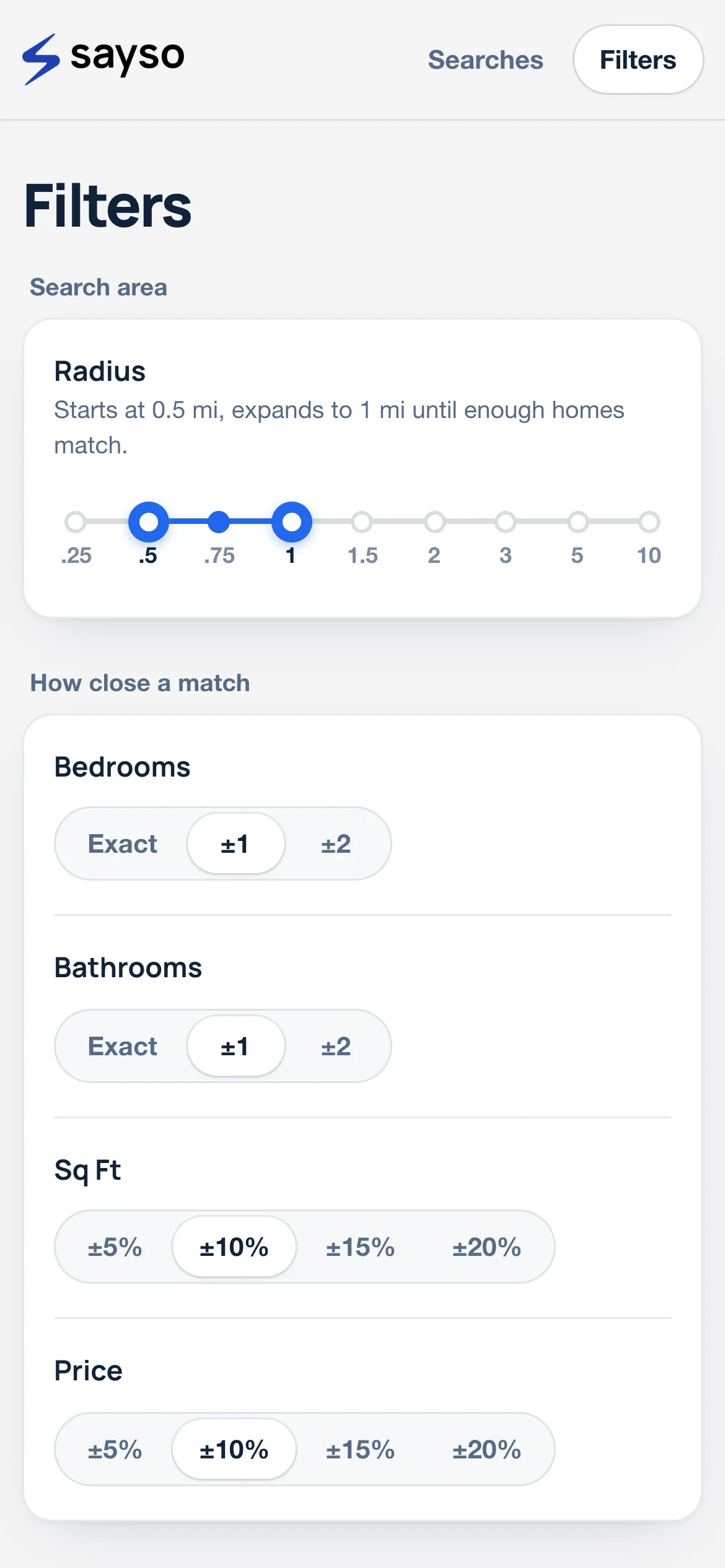
Search area
Radius sets how far from the address to look, from a quarter mile up to 10 miles. By default Sayso Map starts at 0.5 miles and widens up to 1 mile until enough homes match.
How close a match
- Bedrooms and Bathrooms: Exact, ±1 or ±2.
- Sq Ft and Price: within ±5%, ±10%, ±15% or ±20% of the home you searched.
Results
Homes sets how many similar homes Sayso Map looks for, from 1 to 5. By default it widens the search until it finds 2 and shows up to 3.
Text message
Template is the message under Text to send. Tap a field, such as Subject address or Similar homes list, to insert it. Tap Reset template to go back to the original message.
Start over
Reset to defaults puts every filter back to its original setting.
Was this article helpful?
Still stuck? Email support@asksayso.com or join office hours (every Wednesday at 11am PT / 2pm ET).