Install Sayso on a Mac
Updated November 23, 2026
Before you start
- Your Mac needs macOS 13 (Ventura) or newer.
- Download the version that matches your chip. See Which Mac do I have?
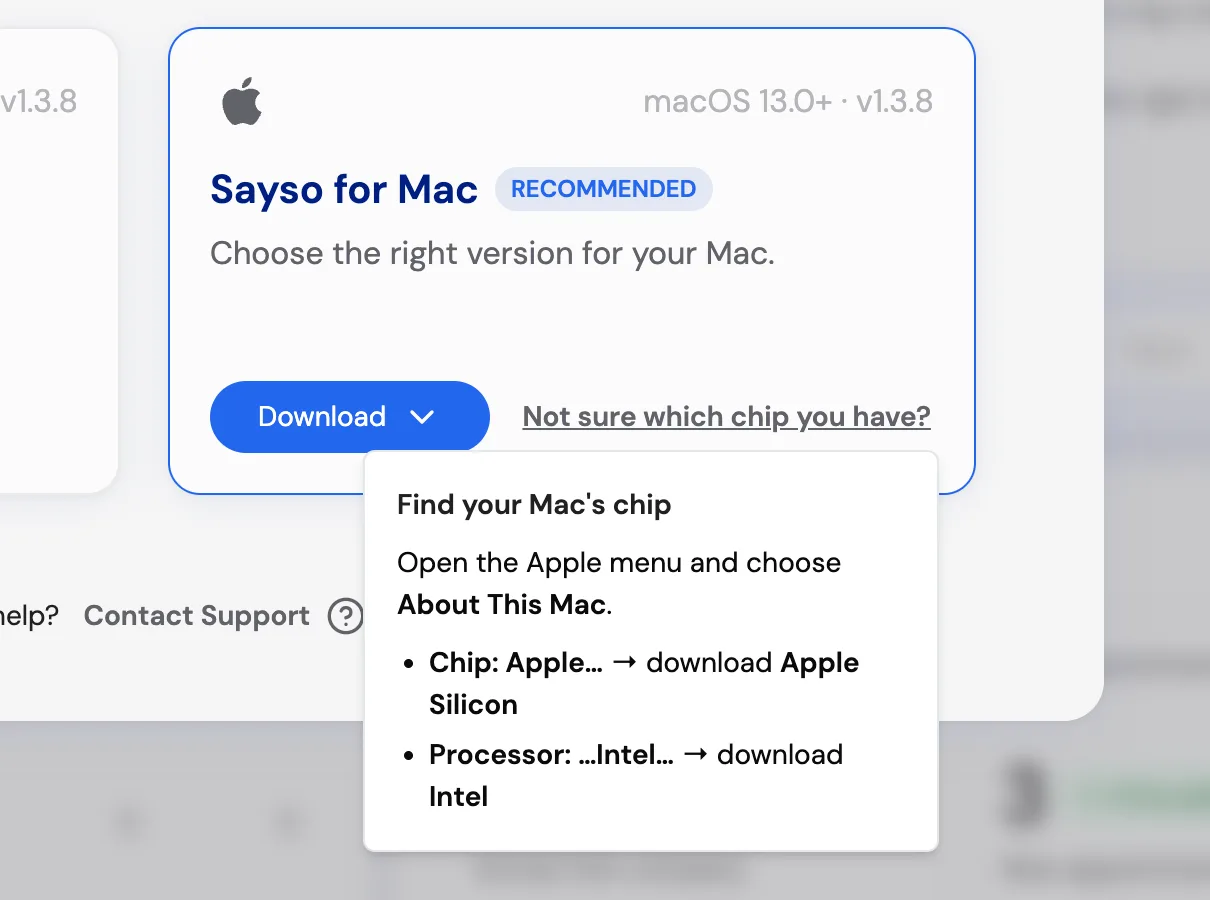
Install
- Open your Downloads folder and double-click the Sayso file. An Install Sayso window opens.
- Drag the Sayso icon onto the Applications folder in that window.
- If your Mac asks whether to replace an older copy, choose Replace. Never choose Keep Both.
- When it finishes copying, eject the installer (drag it from your desktop or the Finder sidebar to the Trash, or right-click it and choose Eject).
Always choose Replace
Two copies of Sayso fight over permissions. Sayso will then say permissions are missing even when they look turned on. If you already have two copies, see Permissions look on but Sayso says they are missing.
Open Sayso for the first time
- Open your Applications folder and double-click Sayso.
- If macOS says the app was downloaded from the internet, click Open.
- Sign in with your Sayso email and password. See Sign in to the desktop app.
- Allow the two permissions Sayso asks for. See Allow microphone and screen and system audio on Mac.
"Sayso needs to be in your Applications folder"
If you open Sayso straight from the installer or from your Downloads folder, Sayso stops and shows Move Sayso to Applications. It can't install updates from anywhere else.
- Click Move to Applications. Sayso moves itself and reopens. Your Mac may ask for your password.
- If Sayso can't move itself, it shows Show in Finder. Quit Sayso, drag it into your Applications folder yourself, then open it from there.
The install window never showed up
If you use an external monitor as your only screen, the installer can open on a display you can't see. Open System Settings, go to Displays, set your displays to mirror, then open the installer again.
Next steps
Was this article helpful?
Still stuck? Email support@asksayso.com or join office hours (every Wednesday at 11am PT / 2pm ET).