Connect Follow Up Boss
Updated November 23, 2026
Sayso works alongside Follow Up Boss. Once connected, you can link any conversation to a lead in Follow Up Boss, and Sayso adds a note to that lead with the call summary, your Smart Capture notes and Pulse data.
Connect
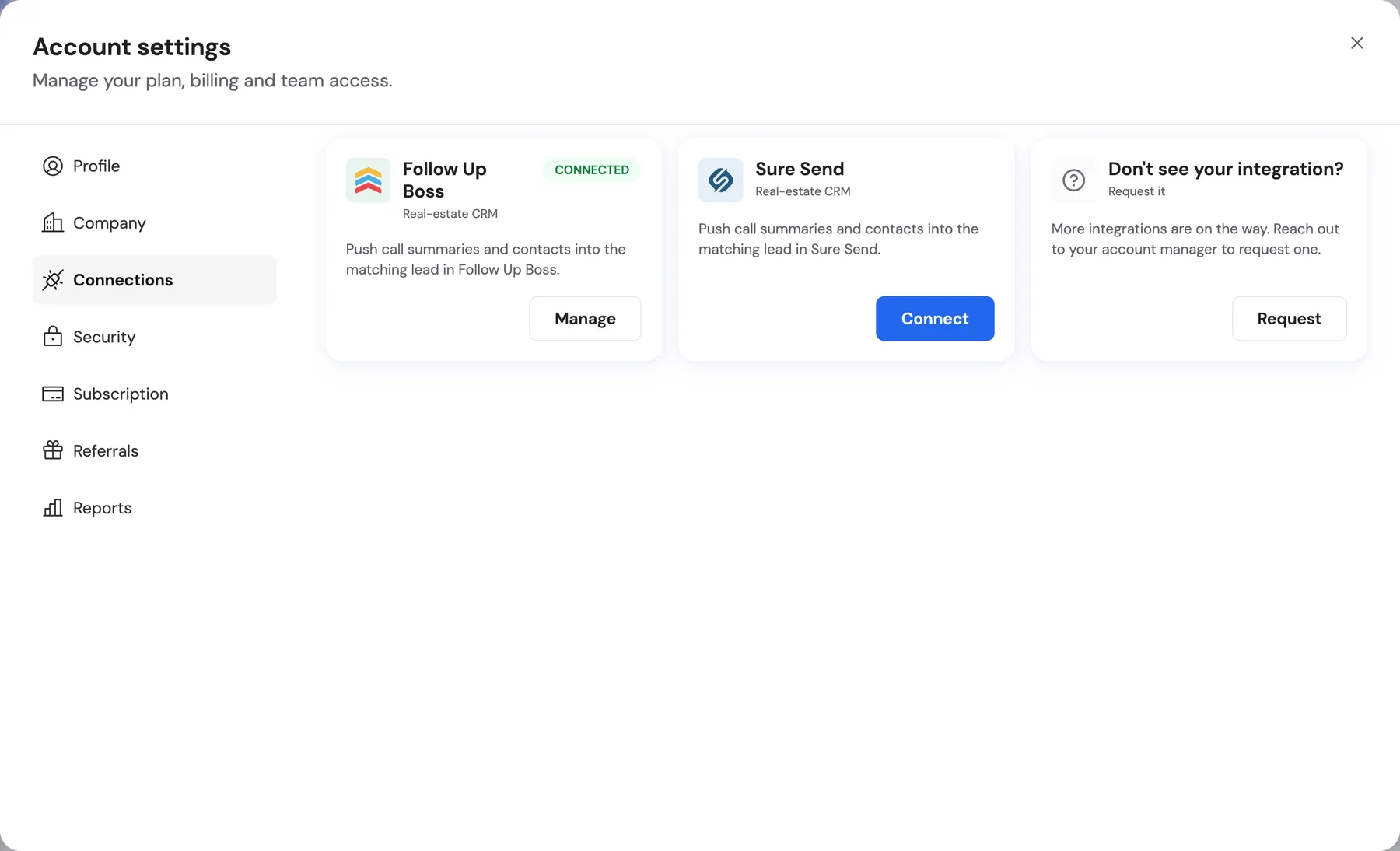
- In the web app, click your name in the top-right corner and choose Account Settings.
- Open Connections.
- On the Follow Up Boss card, click Connect.
- Sign in to Follow Up Boss if it asks, and approve access for Sayso.
- You land back on Connections with the message Follow Up Boss connected! The card now shows Connected.
If you click cancel on the Follow Up Boss screen, you see Follow Up Boss connection cancelled. and nothing changes. Click Connect to try again.
How the connection works
- Each agent connects their own account. Connections belong to your Sayso login, not to your team. Every agent on a team connects their own Follow Up Boss user. See CRM connections are per agent.
- Notes go out when you link a lead. Sayso doesn't push every call automatically. You choose the lead for each conversation. See Send a conversation to your CRM.
- Leads you create from Sayso are added to Follow Up Boss with Sayso as the lead source.
- Connected to Sure Send too? When both are connected, Sayso uses Follow Up Boss for linking leads.
Related
Was this article helpful?
Still stuck? Email support@asksayso.com or join office hours (every Wednesday at 11am PT / 2pm ET).