When to hit Reset (and why it matters)
Updated November 23, 2026
What Reset does
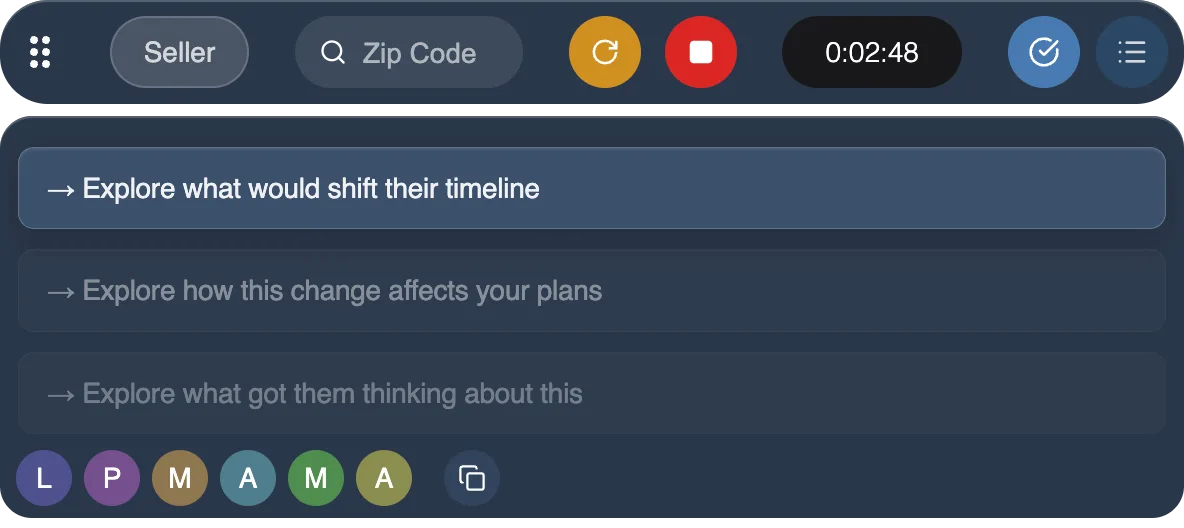
Reset is the orange button with a circular arrow, next to the timer in the Coach widget. When you press it, Sayso:
- saves the conversation you just had as its own entry in Conversations,
- clears the insights and Smart Capture from that conversation,
- sets the timer back to zero, and
- starts a fresh conversation with the same lead type.
Cue coaches each conversation in three stages: Connect, Discover and Convert. A fresh start puts Cue back at Connect. See Connect, Discover, Convert.
What happens if you skip it
Sayso treats the new person as part of the last call. When the next person says hello, you get Convert prompts like "book the appointment" in the first few seconds, or prompts about the last person. Your notes from two conversations also end up mixed together.
When to press it
- Each time a new person picks up. Not when you dial. When a person answers.
- After a voicemail. Voicemails can trigger prompts. Reset before your next live conversation.
- Multi-line or power dialers: press Reset at every pickup. See Using Sayso during a dial block or power dialer session.
- Before a practice roleplay.
Grab your notes first
Reset clears the Smart Capture row in the Coach widget. To paste that call's notes into your CRM, click the copy icon at the end of the Smart Capture row before you press Reset. If you forget, every conversation is saved in the web app. See Where are my notes?
Start, Reset and Stop
- Start for Seller / Start for Buyer: begins your session with that lead type.
- Reset: a new conversation inside the same session.
- Stop: finishes the session when your dial block is over. To switch from seller calls to buyer calls, press Stop and start again with the other lead type.
Pair Reset with Buffer Time
Buffer Time is the delay before Sayso starts showing insights. If you press Reset when someone new picks up and starts talking, set Buffer Time to 0 seconds. See Buffer Time.
Was this article helpful?
Still stuck? Email support@asksayso.com or join office hours (every Wednesday at 11am PT / 2pm ET).