Improve your coaching over time
Updated November 23, 2026
Rate insights after your calls
In Conversations, open the Cue tab on a call and give each insight a thumbs up or thumbs down.
- Thumbs up: the prompt fit the moment, or you used it.
- Thumbs down: it didn't fit the conversation, came at the wrong time, or isn't how you'd say it.
You can rate your own conversations only. See Rate Cue's insights.
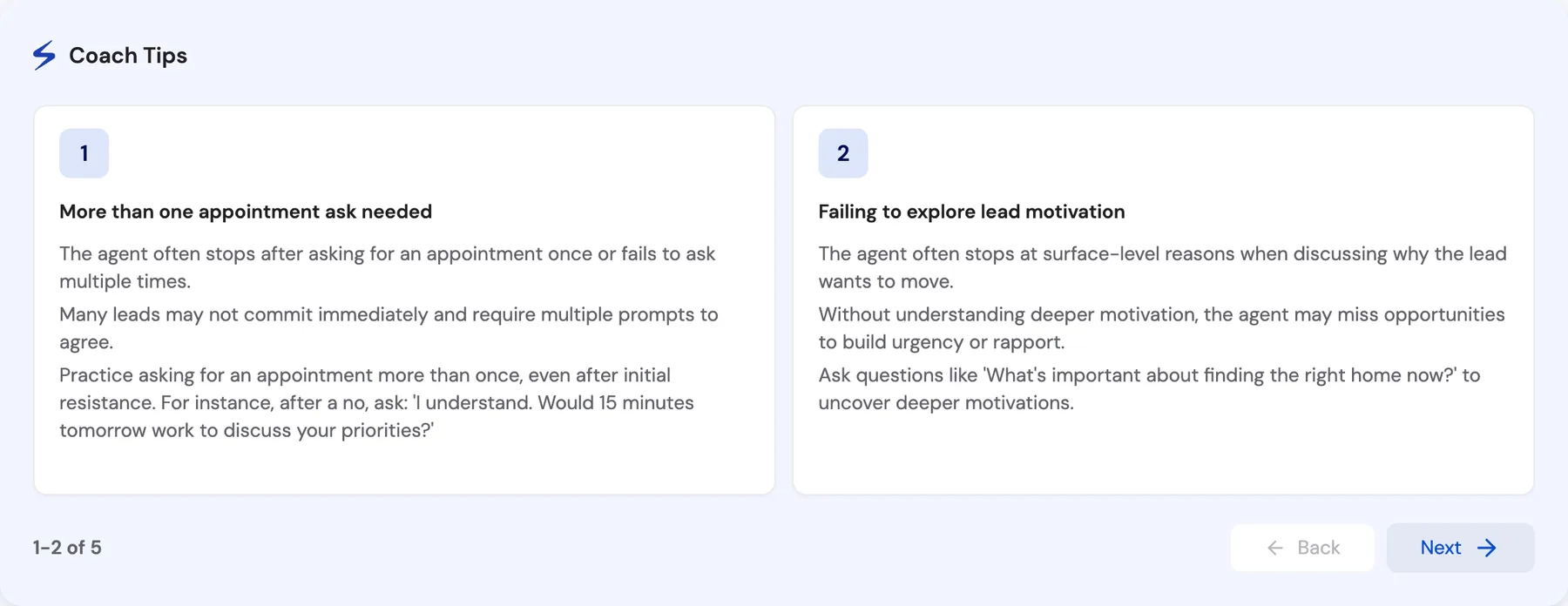
Read your Coach Tips
Coach Tips on your Dashboard are personal suggestions based on your own conversations. They appear after your first 10 qualifying conversations and refresh as you make more calls. Until then, the Dashboard says your Coach Tips are on the way. See Coach Tips.
Watch your numbers
Your Dashboard shows Conversation time and Appointments booked for the last 7 days, 14 days, 30 days, 3 months or 6 months, plus a weekly Activity chart. Compare your conversation time with the appointments you booked. See Your Dashboard.
Try the settings that fit your style
- Prompt Style: Full Insights for complete suggestions, Condensed for short directions you say in your own words. See Prompt Style.
- Buffer Time: how long Sayso waits before showing insights. See Buffer Time.
- Playbooks: upload your own scripts so your talk track sits next to Cue. See Upload your own playbooks.
Bring questions to office hours
For help reading your numbers or changing your setup, join weekly office hours.
Was this article helpful?
Still stuck? Email support@asksayso.com or join office hours (every Wednesday at 11am PT / 2pm ET).