How coaching minutes are counted
Updated November 23, 2026
Every Sayso plan includes a number of coaching hours per month.
When a session counts
A session uses minutes only if at least one of these happened:
- Cue showed you an insight
- Smart Capture caught a note
- You used Pulse
If none of those happened, the session uses no minutes.
How much it uses
A counted session uses the time from Start to Stop, rounded up to the next whole minute. A session of 4 minutes and 10 seconds uses 5 minutes.
Save your hours
Stop the session when your dial block ends. If you forget, Auto Stop ends it after the other person has been quiet for a while. See Auto Stop.
Voicemails and calls that don't connect
They don't show in Conversations or on your Dashboard. But if Cue showed an insight during a voicemail, that session still uses minutes. During a dial block, press Reset when someone picks up so the time stays tied to live conversations. See When to hit Reset.
When minutes refill
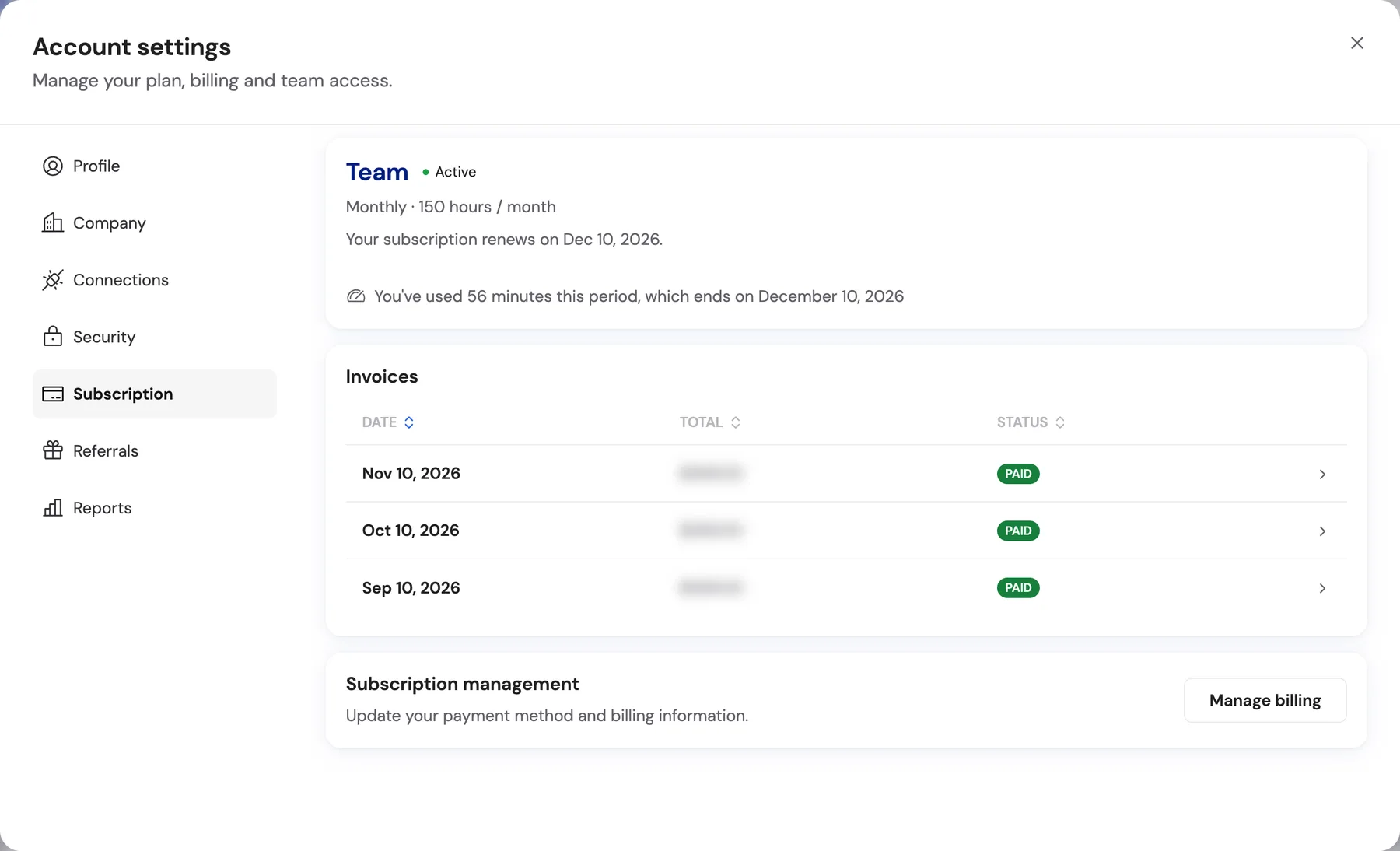
Your minutes refill to your plan's monthly amount each time your subscription invoice is paid. Unused minutes don't carry over. The Subscription tab shows how many you've used and when the current period ends. See Your subscription: status, hours and invoices.
On a team
Everyone in your company shares one pool of minutes. Your owner or admins can also set an hour cap for each team. See Set a team's monthly hour cap.
If you run out
The Coach widget won't start a new session, and you'll see a message in the desktop app.
- On your own plan: email support@asksayso.com to talk about more hours or a bigger plan.
- On a team: let your team owner or admin know. See Your team is out of coaching minutes.
Related
Was this article helpful?
Still stuck? Email support@asksayso.com or join office hours (every Wednesday at 11am PT / 2pm ET).