Welcome to Sayso
Updated November 23, 2026
What Sayso does
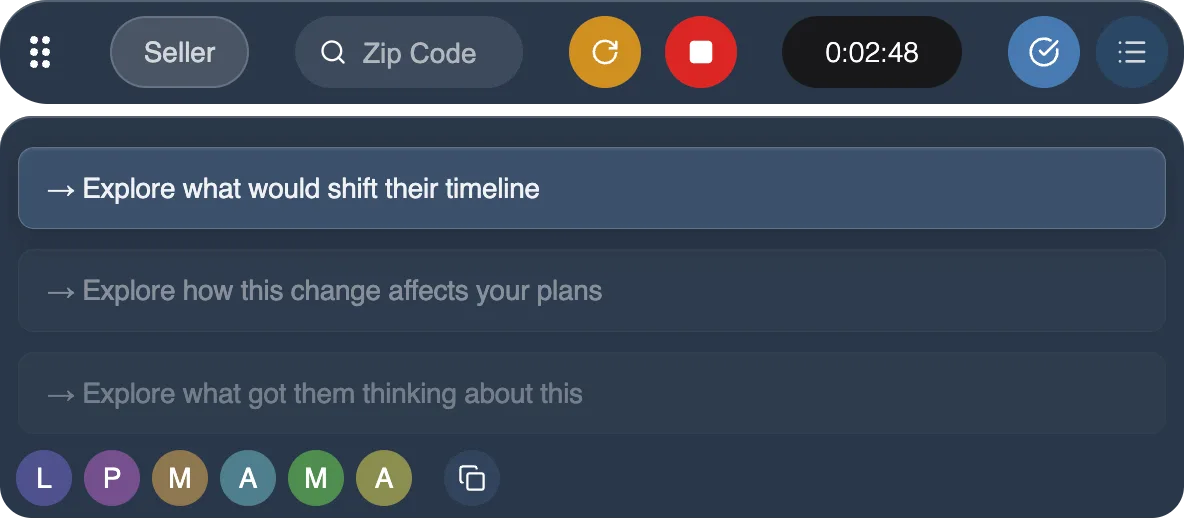
Sayso listens to your call in real time and coaches the conversation while it happens. It prompts you to ask better questions, handle objections, find the person's motivation and ask for the appointment.
Sayso works alongside the tools you already use. It does not replace your CRM, your dialer or your lead sources. It coaches the conversation itself.
What's inside
- Cue: live prompts on what to ask or say next. See Cue.
- Smart Capture: notes that fill in while you talk, organized as LPMAMA (Location, Price, Motivation, Agent, Mortgage, Appointment). See Smart Capture.
- Pulse: market data by ZIP code, in the middle of the call. See Pulse.
- Playbooks: your scripts on screen next to the prompts. See Playbooks.
You use these in the Coach, a small window from the Sayso desktop app that stays on top of your CRM and dialer. After the call, everything is saved in the web app at app.asksayso.com.
Before your first call
Sayso works on Mac and Windows. Follow three habits:
- Wear headphones.
- Call from your computer, not your cell phone.
- Press Reset each time a new person picks up.
Start with the quick start and the cheat sheet.
After your calls
Use Sayso every time you prospect. After your dial blocks, open Conversations in the web app and rate prompts with a thumbs up or down. After 10 conversations, Coach Tips appear on your Dashboard. See Improve your coaching over time.
Tell us what to improve
Email support@asksayso.com or bring it to weekly office hours.
Refer an agent
To refer an agent, send them your referral link from Settings, Referrals in the web app. See Refer an agent and earn credit.
Was this article helpful?
Still stuck? Email support@asksayso.com or join office hours (every Wednesday at 11am PT / 2pm ET).