Playbooks: your scripts next to the Coach widget
Updated November 23, 2026
Playbooks keep your script on screen in its own window while Cue reacts to what the lead says. Lead with your script and use Cue's prompts in the pauses.
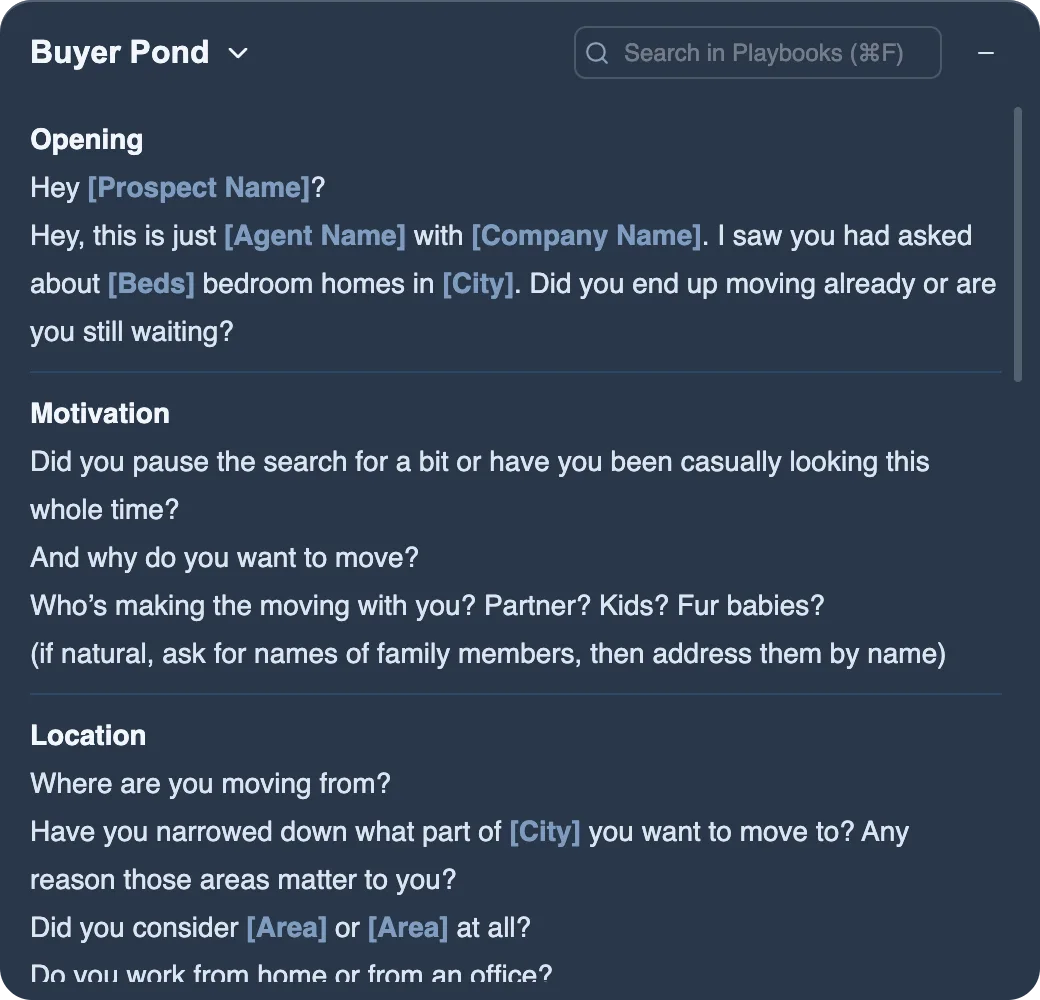
Open Playbooks
- From the Sayso menu: click Show Playbooks.
- With the keyboard: Ctrl + B on a Mac, Alt + Shift + B on Windows.
- During a session: click the Playbooks button (the list icon) on the right side of the Coach widget.
Playbooks open without a session, so you can study a script before you dial. The window opens next to the Coach widget and stays on top of your other windows. Drag an edge or corner to resize it. Close it with the X, the same shortcut, or Hide Playbooks in the Sayso menu.
Switch playbooks
Click the playbook name at the top of the window to open the list, then choose another one. The list includes Sayso's six playbooks (Circle Prospecting, Buyer Pond, FSBO, Appt Setting, Open House Visitor and Expired) plus any you uploaded.
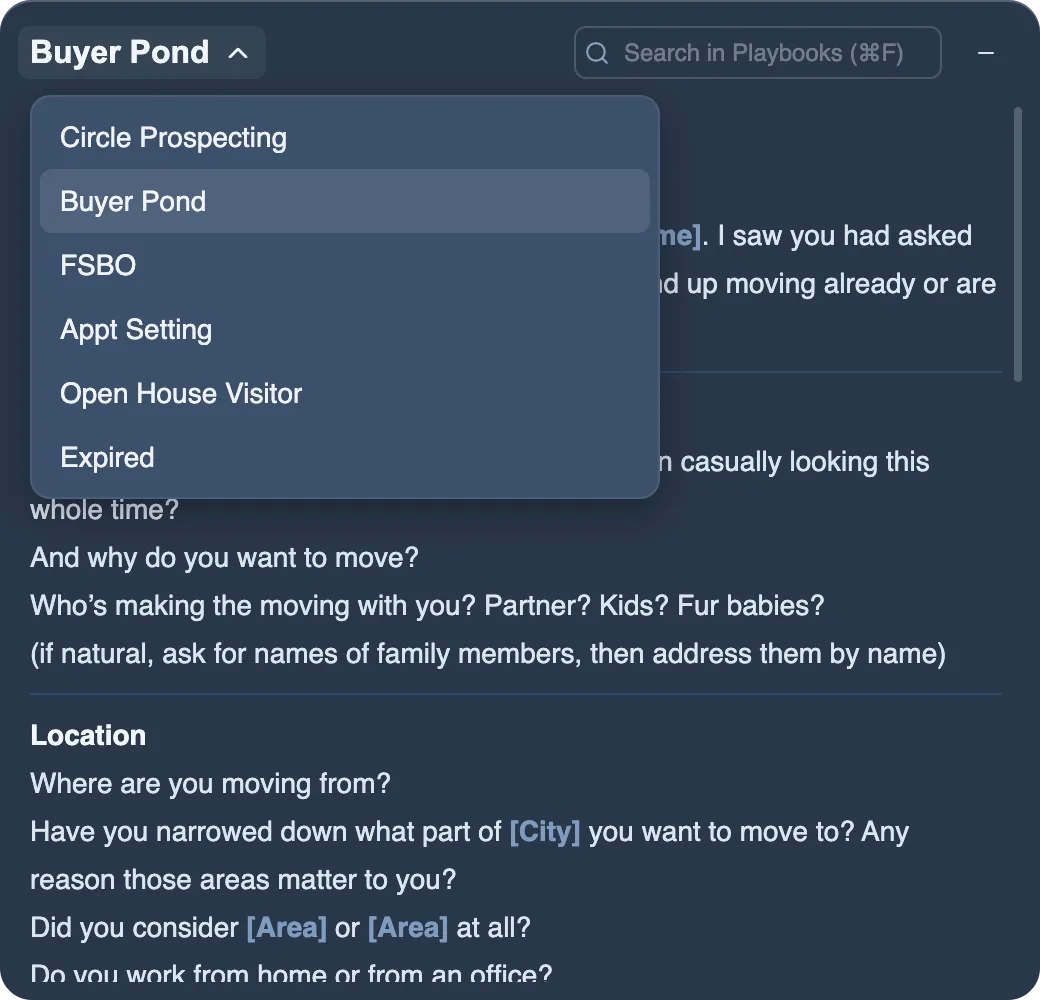
Which playbook opens first depends on Default Script in Settings > Playbooks:
- Last Used (the default) opens whatever you had open last.
- Favorite always opens your starred playbook.
See Upload and manage your playbooks to star a favorite or change the order.
Search inside a playbook
- Click the Search in Playbooks field at the top, or press ⌘ + F (Mac) or Ctrl + F (Windows).
- Type a word or phrase. Matches are highlighted and a counter shows how many there are.
- Press Enter or click the arrows to move to the next or previous match.
- Press Esc or click the X in the field to clear the search.
Search looks inside the playbook that's open, not all of them.
Playbook messages
| What you see | What it means |
|---|---|
| This playbook is still processing. Check back in a moment. | A file you just uploaded is being prepared. |
| This playbook failed to process. | Sayso couldn't read the file. Delete it in Settings > Playbooks and upload a cleaner version. |
| No playbooks yet. | Nothing is available yet. Upload your own in Settings > Playbooks. |
If Show Playbooks is missing from the Sayso menu, Playbooks isn't included in your account, or you're signed out.
Was this article helpful?
Still stuck? Email support@asksayso.com or join office hours (every Wednesday at 11am PT / 2pm ET).