Using Sayso for internet lead follow-up
Updated November 23, 2026
What internet lead follow-up looks like with Sayso
They filled out a form on Zillow, Realtor.com, your IDX site or an ad. They expect a call, but they don't know you. They're usually still in research mode.
On these calls, Sayso prompts you to:
- Get past the "I'm just looking" brush-off without pushing
- Qualify them without sounding like you're reading a form
- Find out their timeline versus "someday"
- Book the appointment without dragging out the call
Features to have open
- Cue: prompts for rapport and discovery questions as the call moves along.
- Smart Capture: pulls location, price range, timeline and motivation into notes. Send them to the lead in Follow Up Boss or Sure Send with Add lead. See Send your notes to your CRM.
- Pulse: they're usually looking in specific ZIP codes. Type one in and share the numbers.
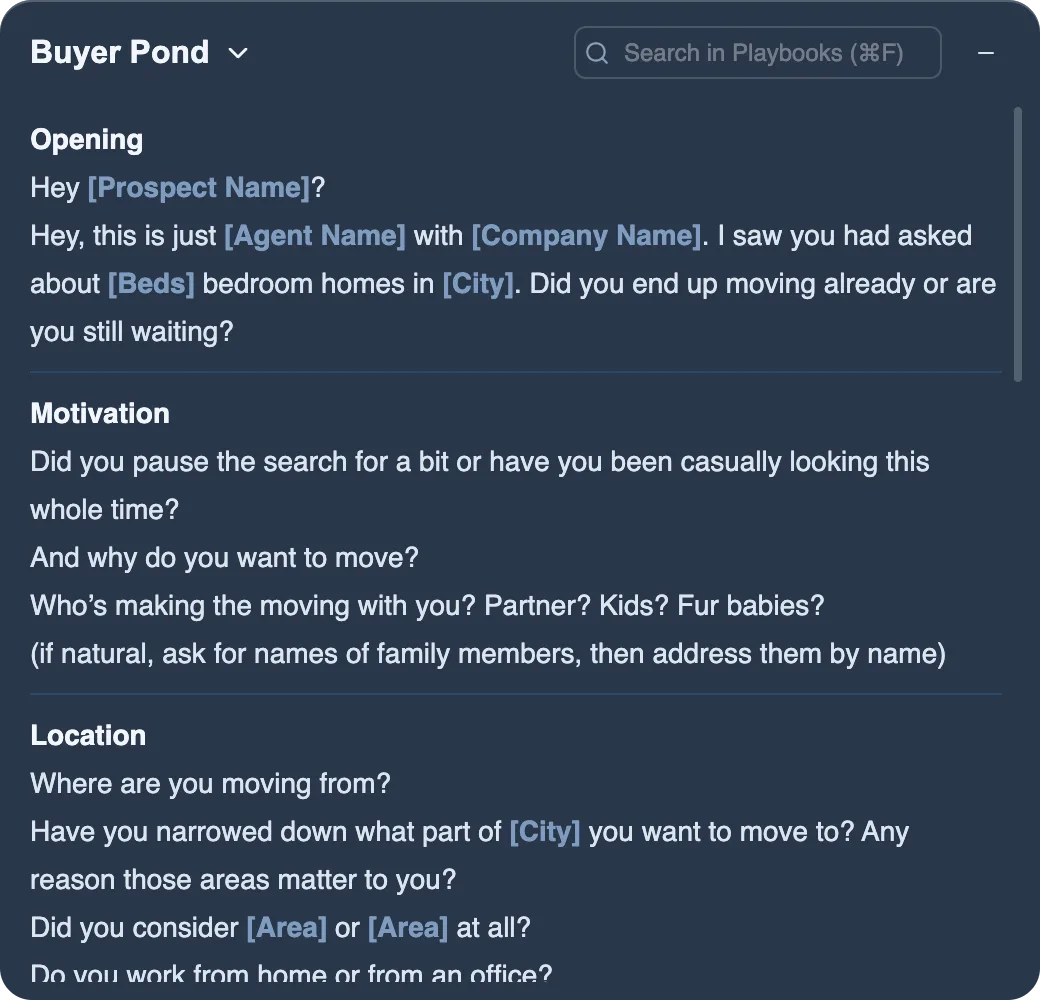
- Playbooks: keep a buyer lead script open, a ready-made one or your own.
Tips
- Match the lead source. A Zillow buyer is different from an IDX form buyer. Same lead type, different starting motivation. Rate your prompts after the call to tell Sayso which ones help.
- Don't over-discover. A common mistake is asking 10 questions when 3 would have booked the appointment. Once motivation is clear, ask for the appointment.
- Call from your computer. Zillow and other lead calls answered on your cell phone won't reach Sayso. Call them back from your CRM's computer dialer. See Set up your dialer.
- Use Pulse early. If they say "I'm looking in 85251," look up the ZIP code and mention what you see. See Answer market questions with Pulse.
Was this article helpful?
Still stuck? Email support@asksayso.com or join office hours (every Wednesday at 11am PT / 2pm ET).