Weekly and monthly email reports
Updated November 23, 2026
Who gets the report
- The Owner and every Admin of a team account.
- Your company needs an active subscription. A plan that has been cancelled keeps getting reports until the end of the paid period.
- Members (agents) and individual accounts don't get it.
Each person sets their own preferences, so one Admin can get it weekly while another gets it monthly or turns it off.
When it arrives
| Setting | Sent | Covers |
|---|---|---|
| Weekly (the default) | On your delivery day, Monday through Friday. Monday unless you change it. | The 7 days before that day. |
| Monthly | On the 1st of every month. | The previous calendar month. |
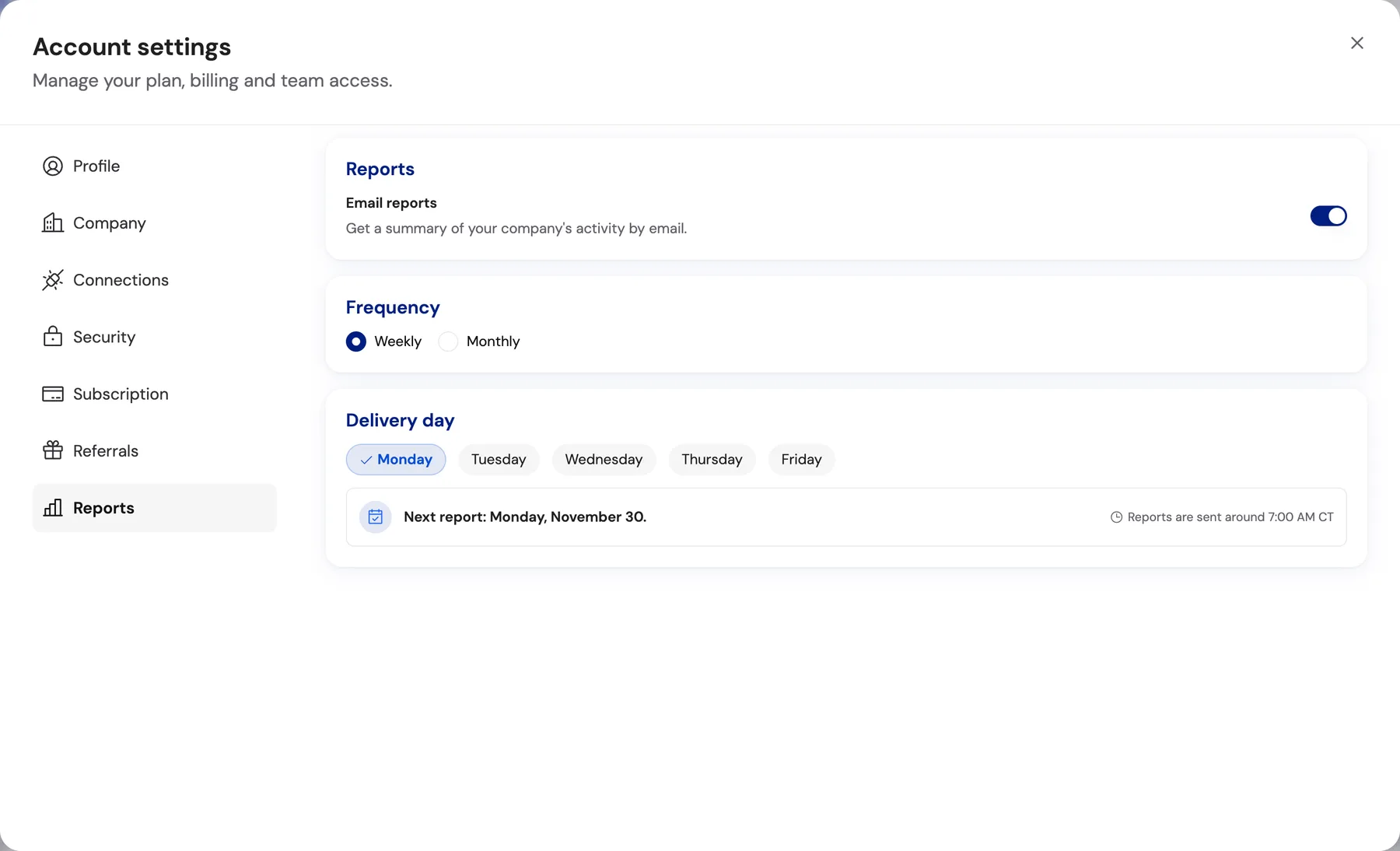
Reports go out around 7:00 AM Central Time (CT), whatever time zone you are in. The Reports settings page shows this as "Reports are sent around 7:00 AM CT".
No report is sent for a period with no conversation time, and none is sent for a period that ended before your company signed up.
What's in it
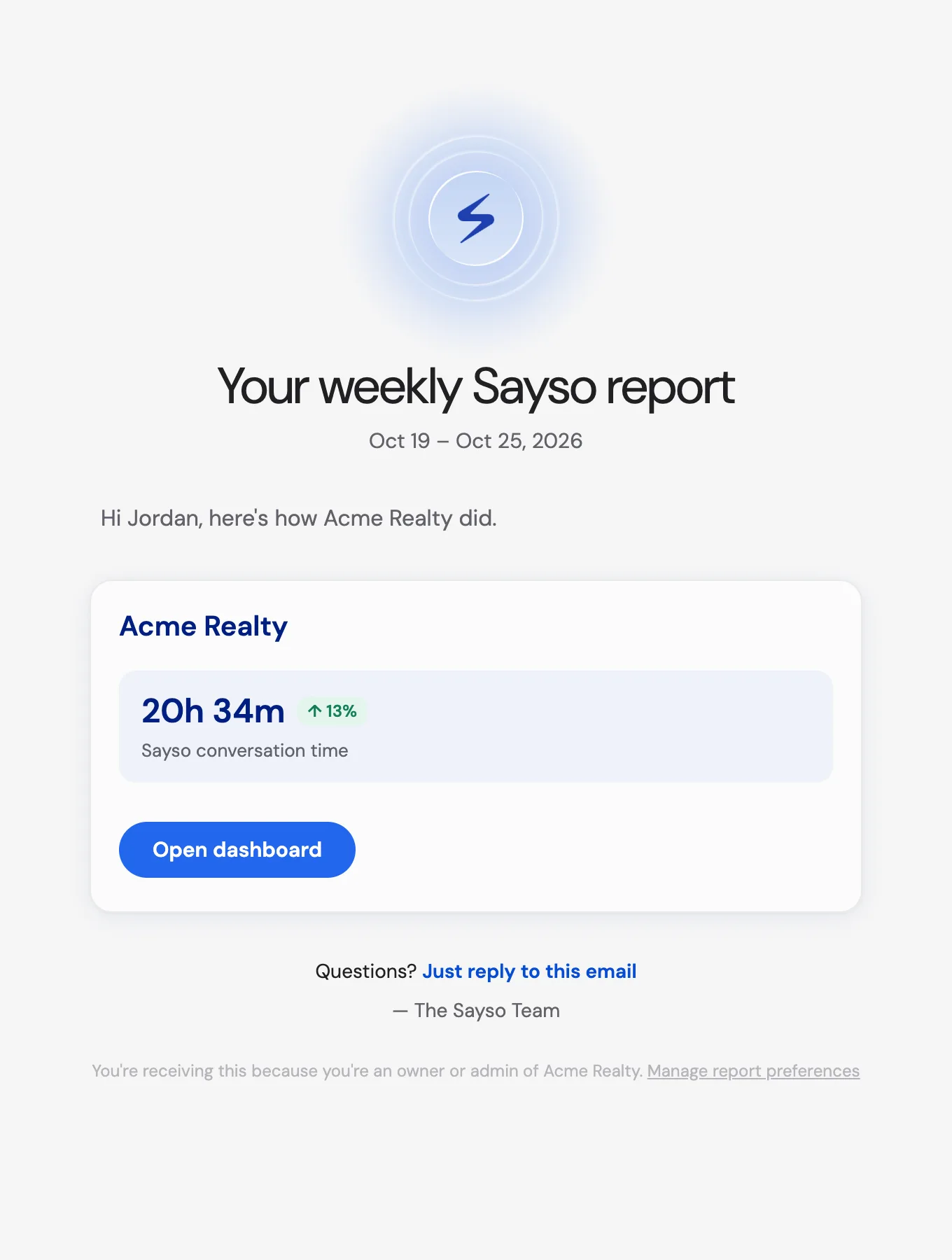
- Subject: "Your Sayso weekly report · Oct 19 – Oct 25" or "Your Sayso monthly report · October 2026".
- Your company name and its total Sayso conversation time for the period.
- The change against the previous period of the same length, shown when the previous period had activity.
- An Open dashboard button and a Manage report preferences link.
The report covers the whole company. For a breakdown by team or agent, open the Dashboard with filters. You can reply to the email to reach the Sayso team.
Change or turn off your reports
- In the web app, open Settings and choose Reports.
- Turn Email reports on or off.
- Under Frequency, pick Weekly or Monthly.
- For weekly, pick a Delivery day from Monday to Friday. Monthly reports always say "Sent on the 1st of every month."
Changes save automatically. You will see "Report preferences saved", and the page shows Next report with the date.
If you don't see Reports in Settings, you are a Member or on an individual account.
Related
Was this article helpful?
Still stuck? Email support@asksayso.com or join office hours (every Wednesday at 11am PT / 2pm ET).