Meeting detection: Sayso asks when a call starts
Updated November 23, 2026
With meeting detection on, Sayso shows a small prompt at the top of your screen when a call starts in your web browser: Sayso identified a call.

Start coaching from the prompt
- Hover over Start. It splits into Start for Seller and Start for Buyer.
- Click the one that matches your lead. The Coach widget opens with the session already running.
The prompt never takes focus away from your call. You can keep talking and typing while it's on screen.
To ignore it, click the X, or do nothing. The ring around the X counts down and the prompt disappears after 10 seconds. Hovering over the prompt pauses the countdown.
What Sayso detects
Sayso watches for a web browser that starts using your microphone. When a browser keeps the microphone on for 3 seconds, Sayso treats it as a call and shows the prompt.
| Detected | Not detected |
|---|---|
| Calls in Chrome, Edge, Safari, Firefox, Arc, Brave, Opera and Vivaldi. This covers dialers and CRMs that place calls in your browser, and meetings in Google Meet or Zoom in the browser. | The Zoom desktop app, Microsoft Teams desktop app, other desktop dialer apps, and calls on your cell phone or desk phone. |
Google Meet turns on your microphone on its "ready to join" screen, so the prompt can appear before you click Join.
Sayso doesn't listen to anything to detect a call. It only notices which app turned the microphone on. Nothing is captured until you start a session.
What you need
- Mac: macOS 14.2 (Sonoma) or newer. On macOS 13 and early versions of 14, Sayso can't tell which app is using the microphone, so meeting detection doesn't run. Everything else in Sayso still works.
- Windows: Windows 10 or 11.
- Sayso must be running and you must be signed in with an active subscription.
When the prompt won't appear
Sayso stays quiet when:
- The Coach widget is already open, or a session is already running.
- You already dismissed the prompt for this call, or let it time out. The next call prompts again.
- Sayso is reconnecting to the internet.
- You're signed out, or the account has no active subscription.
- Meeting detection is turned off in Settings.
More fixes in "Sayso identified a call" prompt doesn't appear.
Turn meeting detection on or off
- Open Settings from the Sayso menu or the gear in the Coach widget.
- Click General.
- Set Meeting detection ("Ask to launch Sayso when a call starts in your browser") to Enabled or Disabled.
It's on by default. The setting is saved to your account, so it applies on every computer you sign in on.
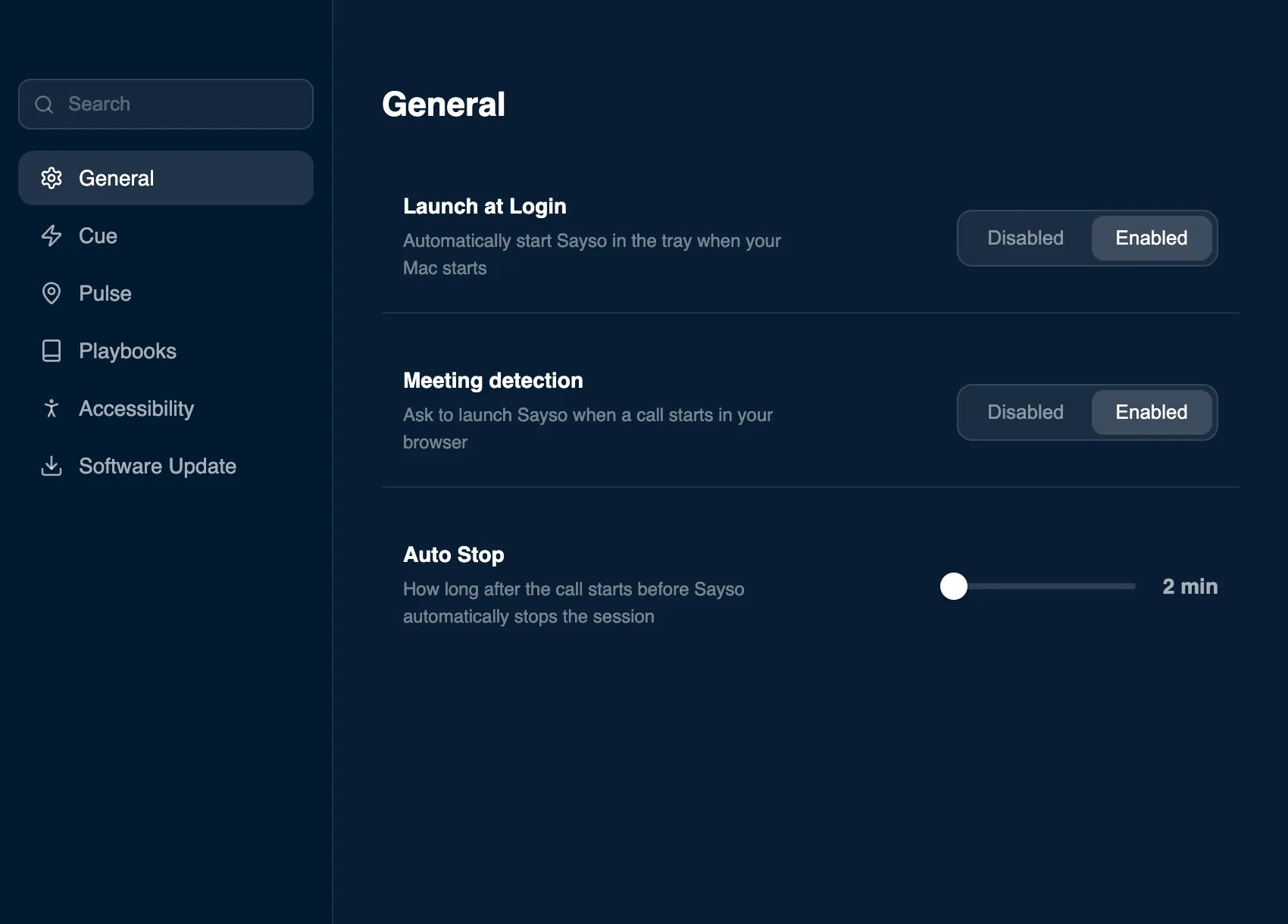
Turn on Launch at Login too. Meeting detection only works while Sayso is running.
Was this article helpful?
Still stuck? Email support@asksayso.com or join office hours (every Wednesday at 11am PT / 2pm ET).