Your Dashboard
Updated November 23, 2026
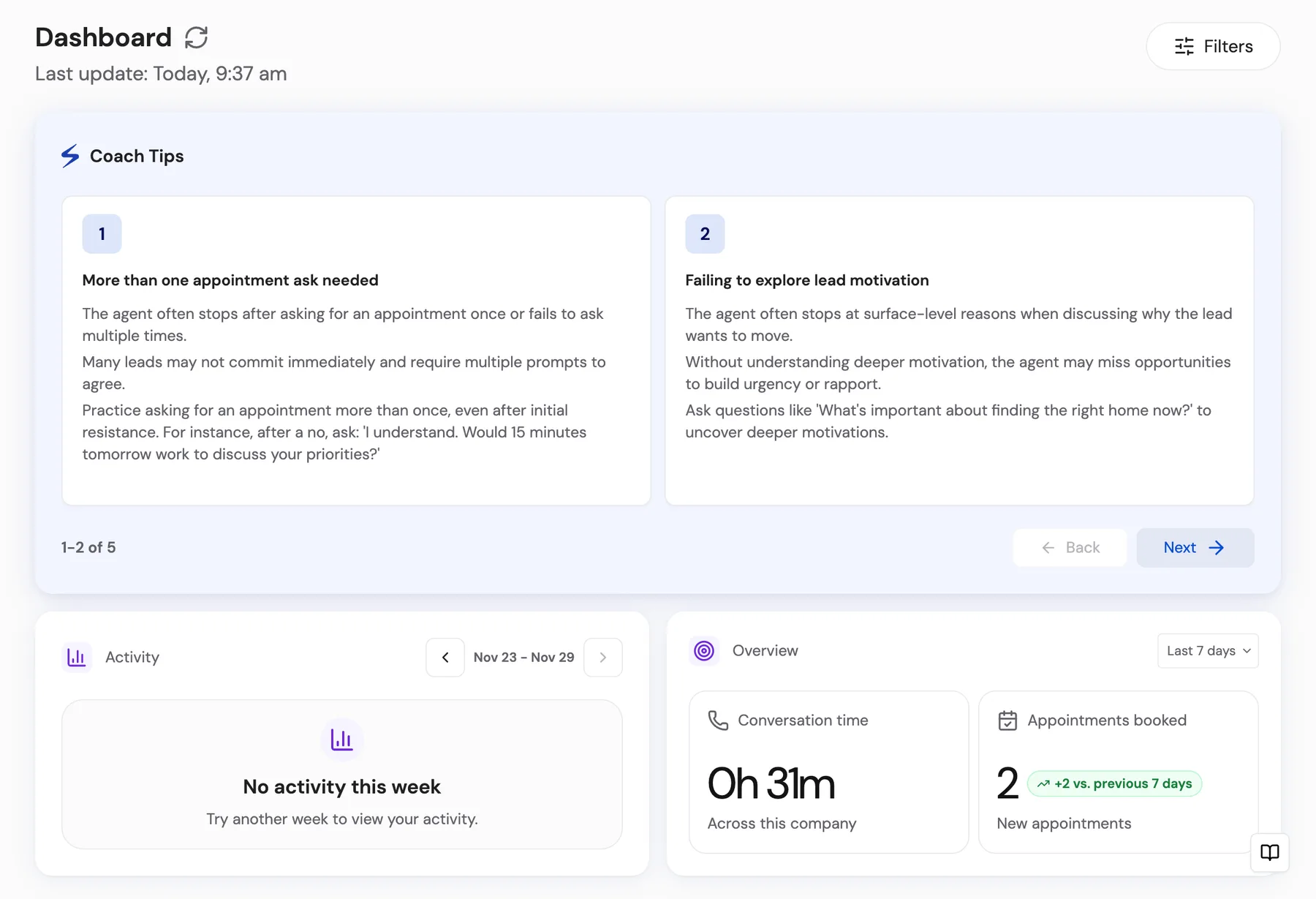
The Dashboard is the first page you see in the web app. It has three parts: Coach Tips, Activity and Overview.
Coach Tips
Tips based on patterns in your recent calls. Use the arrows to move between tips. Tips appear once Sayso has enough calls to learn from. See Coach Tips.
Activity
A bar chart of your coached minutes for each day of the week, with the total minutes for that week.
- Use the Previous week and Next week arrows to look at other weeks.
- A week with no coached calls shows No activity this week.
Overview
Two numbers for the period you pick:
- Conversation time: total time on coached calls.
- Appointments booked: coached calls where Sayso detected that an appointment was set.
Pick the period from the menu: Last 7 days, Last 14 days, Last 30 days, Last 3 months or Last 6 months. Each number shows how it changed against the period before, for example "+2 vs. previous 7 days".
Refresh the numbers
The line under Dashboard shows when the data last updated. Click the refresh button next to the title to load the latest numbers.
What counts
The Dashboard counts coached calls that Sayso logged as conversations. Calls where Sayso gave no insight, caught no Smart Capture notes and showed no Pulse data are not counted, and neither are voicemails or calls that never connected. See How coaching minutes are counted.
Team owners and admins
You see the whole company by default. The Filters button narrows the Dashboard to one team or one member. See See your team's activity on the Dashboard.
No Dashboard?
If your plan isn't active, the Dashboard shows Your coaching starts here with a prompt to choose a plan. Team members see a note to contact their account owner instead.
Related
Was this article helpful?
Still stuck? Email support@asksayso.com or join office hours (every Wednesday at 11am PT / 2pm ET).