Hour cap warning email
Updated November 23, 2026
When it is sent
- Only for teams with an hour cap.
- When the team crosses 80% of its cap, right after a coaching session ends.
- Once per team per calendar month. If the team drops back under 80% (for example, you transfer an agent off it or raise the cap), it can be sent again that month.
Who gets it
The Owner and every Admin in the company. Members don't.
What's in it
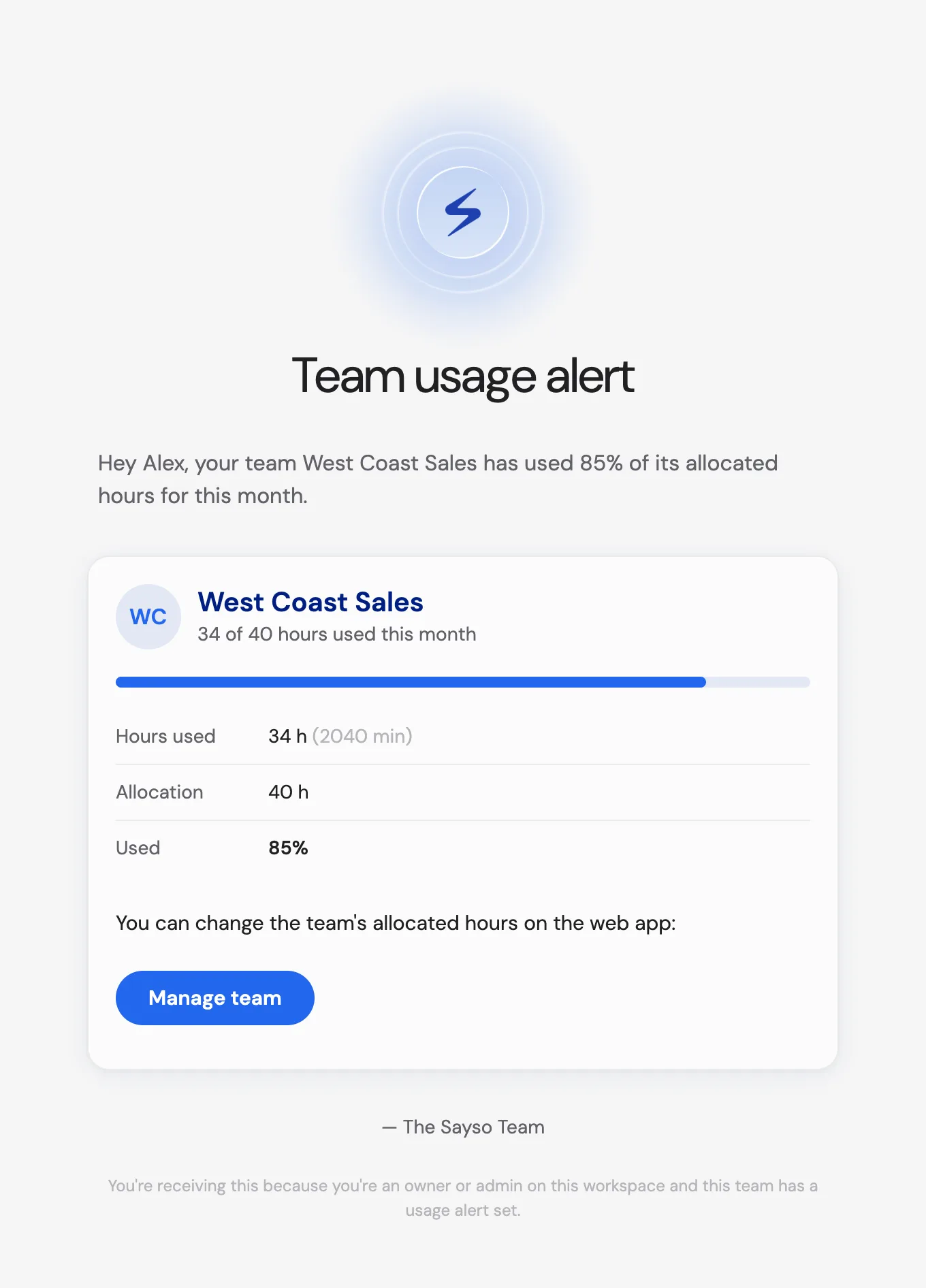
The subject reads "[Team name] has used 80% of its Sayso hours" (the percentage is the team's usage when the email is sent). Inside: hours used this month, the team's allocation, the percentage used, and a Manage team button that opens the team's page.
What to do
- Raise the cap: see Set a team's monthly hours.
- Or leave it. When the team hits 100%, its agents can't start new sessions until the 1st of next month.
There is no setting to turn this email off. Removing the team's cap stops it.
Was this article helpful?
Still stuck? Email support@asksayso.com or join office hours (every Wednesday at 11am PT / 2pm ET).