Create your Sayso account
Updated November 23, 2026
You create your account in the web app at app.asksayso.com. Sign-up has two steps: Account and Subscription. Use Google Chrome.
Joining a team?
If your brokerage or team uses Sayso, don't sign up on your own. Open the invite email from your team owner or admin and accept it. See Join your team from an invite.
Step 1: Account
- Go to app.asksayso.com/signup. Already on the sign-in page? Click Sign up.
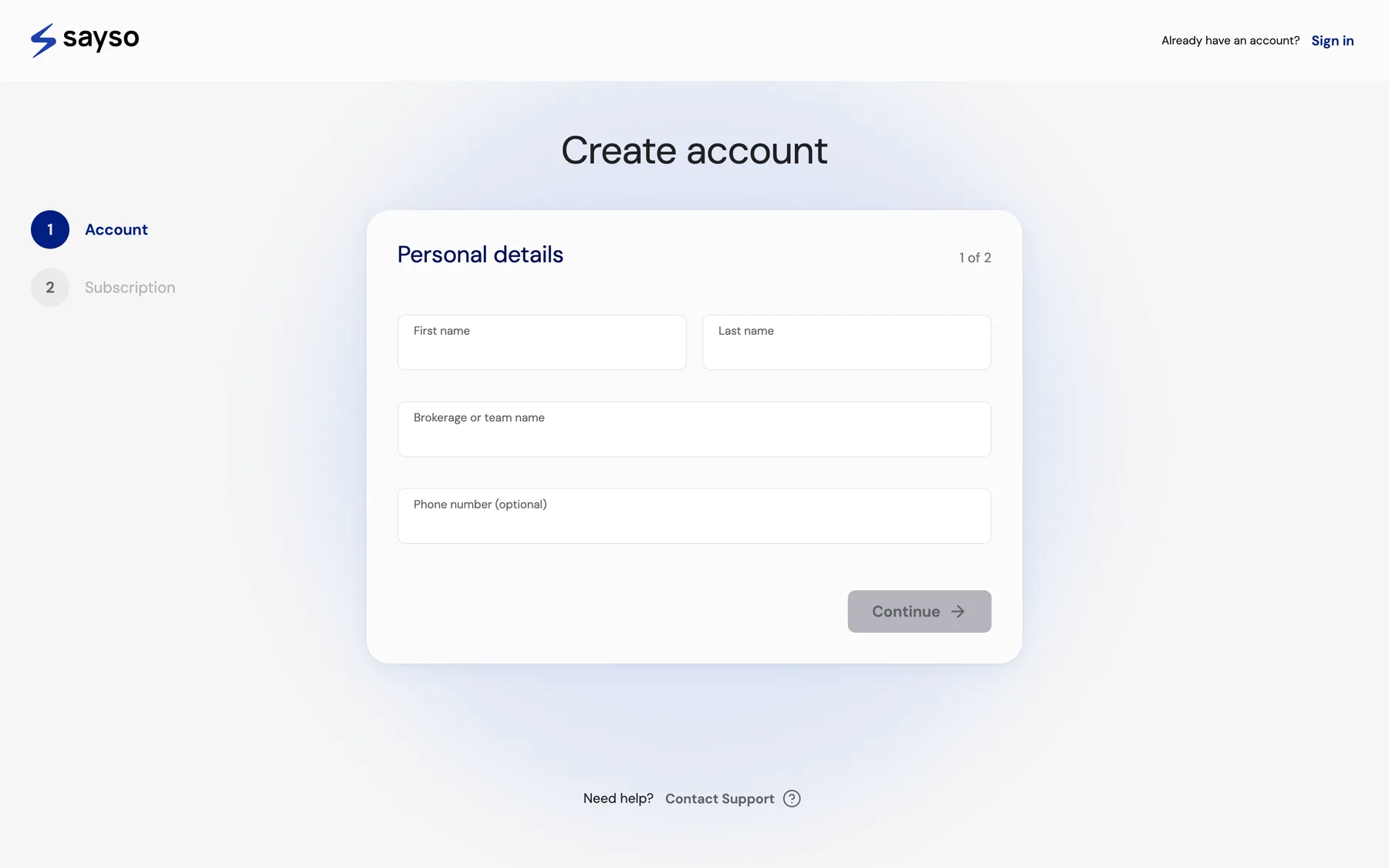
- Under Personal details, enter your First name, Last name and Brokerage or team name. Phone number (optional) can stay empty.
- Click Continue.
- Under Login details, enter your Email, a Password, and the same password again in Confirm password.
- Click Continue.
Your password needs at least 8 characters and at least one number. A checklist under the field turns green as you meet each rule.
Use an email you'll keep
Your sign-in email can't be changed from the web app later.
Step 2: Subscription
After Continue, you land on Select your plan.
- Choose Monthly or Annually at the top. Annual billing costs less per month.
- On the plan you want, click the button (for example Choose followed by the plan name). Team plans ask you to Select your package first, based on team size and hours.
- Pay in the Stripe checkout.
When payment goes through, you land on your Dashboard. For plan details, see Choose a plan and subscribe or the pricing page.
Next: download the desktop app
Live coaching happens in the Sayso desktop app, not in the browser. On your Dashboard, the Download Sayso button in the left sidebar is highlighted with a Next step tip. Click it and pick Mac or Windows. See Download Sayso.
Sign in to the desktop app with the same email and password.
Related
Was this article helpful?
Still stuck? Email support@asksayso.com or join office hours (every Wednesday at 11am PT / 2pm ET).