Invite agents to your company
Updated November 23, 2026
Owners and Admins can invite agents. Agents join by email invite only; there is no way to add someone's account directly.
Send invites
- Sign in at app.asksayso.com and open Company in the sidebar.
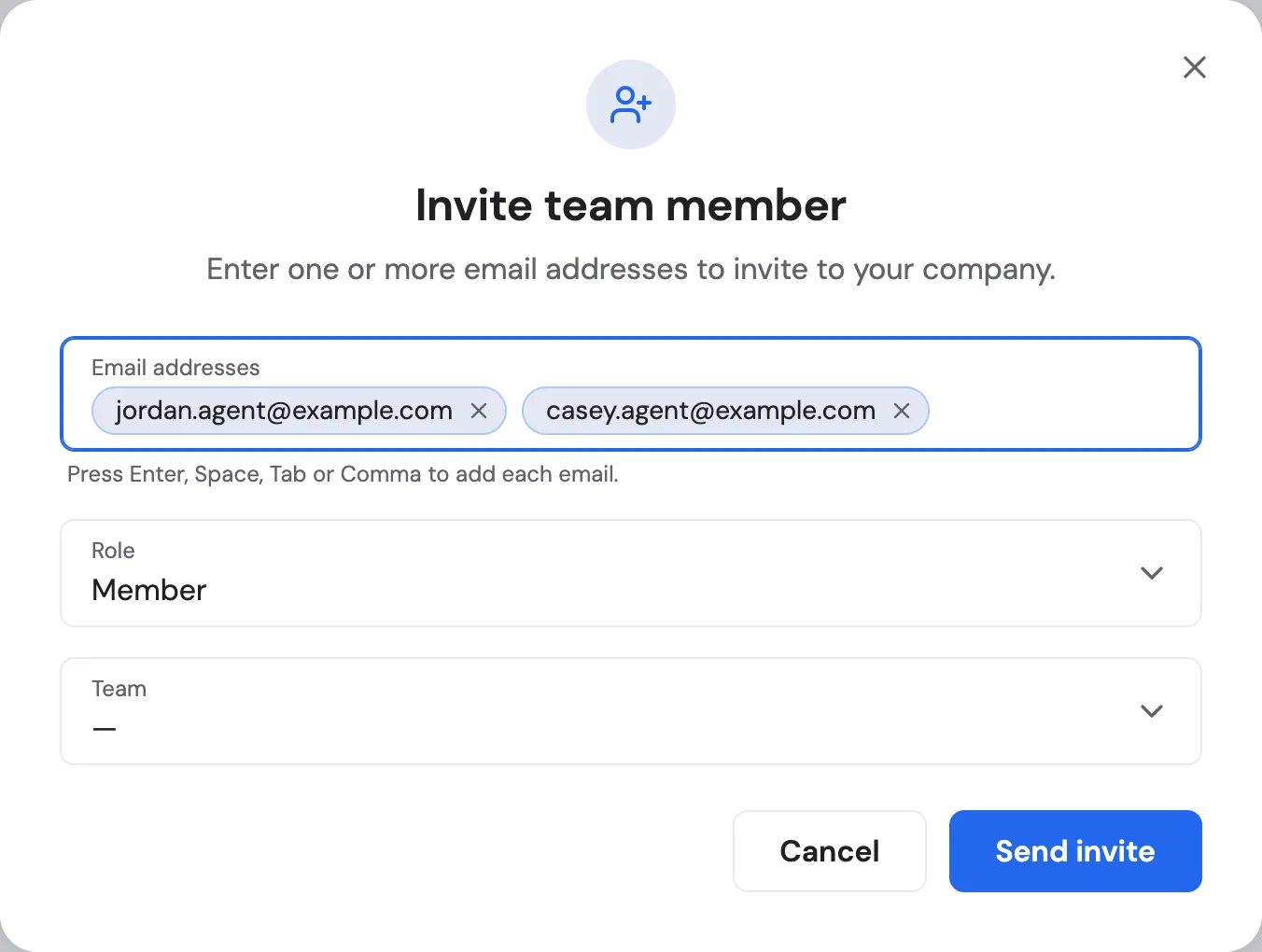
- On the Members tab, click Add member. The Invite team member window opens.
- In Email addresses, type an email and press Enter, Space, Tab or a comma. Each address turns into a chip. Add as many as you need. You can also paste a list.
- If you are the Owner, choose a Role: Member for agents or Admin for people who help run the team. Admins don't see this field, and everyone they invite joins as a Member.
- Optional: choose a Team. The person joins that team when they accept. Leave it on the dash to invite them with no team.
- Click Send invite. You will see "Invite sent." (or "3 invites sent." for several).
New invites show on the Members tab with the status Invited.
Ask agents to accept with an email they'll keep. The sign-in email can't be changed later from the app, so a personal email is safer than a brokerage email they might lose if they move.
If some addresses weren't invited
The window stays open and lists each address that wasn't sent, with the reason. The others were sent.
| Reason | What it means | What to do |
|---|---|---|
| Invalid email format | The address has a typo. | Fix it and send again. |
| User already in your organization | This person already has an account in your company. | Nothing. Find them on the Members tab. |
| Invite already pending for this email | You already sent an invite that hasn't expired. | Wait for them to accept, or revoke it and send a new one. |
| Failed to create invite | Something went wrong on our side. | Try again. If it keeps failing, email support. |
The field also won't take an address that isn't a valid email, and it won't let you invite yourself.
What the agent gets
The invite email has the subject "[Your company name] has invited you to Sayso". It shows who invited them and the team if you chose one, and has a Join Team button. The invite is valid for 14 days.
When they click it, they see "Join [your company name]", enter their first name, last name and a password, and land on the Dashboard. They don't pick a plan; they use your company's subscription. The Owner gets an email when someone joins.
Send new agents Join your team from an invite.
Related
- Track invitations: Invited, Active and Expired
- Resend or revoke an invite
- Inviting an agent who already has a Sayso account
- Roll out Sayso to your team
Was this article helpful?
Still stuck? Email support@asksayso.com or join office hours (every Wednesday at 11am PT / 2pm ET).