Using Sayso for prospecting calls to people who don't know you
Updated November 23, 2026
What these calls look like with Sayso
You're dialing people who didn't ask to hear from you: expireds, FSBOs, circle prospecting, neighborhood calls. You have a few seconds to earn the right to keep talking.
On these calls, Sayso prompts you to:
- Get past the opening without sounding like a telemarketer
- Handle "not interested" calmly
- Ask questions that uncover the person's motivation
- Stay on pace without losing warmth
Features to have open
- Cue: live prompts based on what the person just said, including objections you weren't ready for.
- Smart Capture: organizes the call into LPMAMA, so you don't type while you talk.
- Pulse: pull market data live if they ask "what are homes going for?"
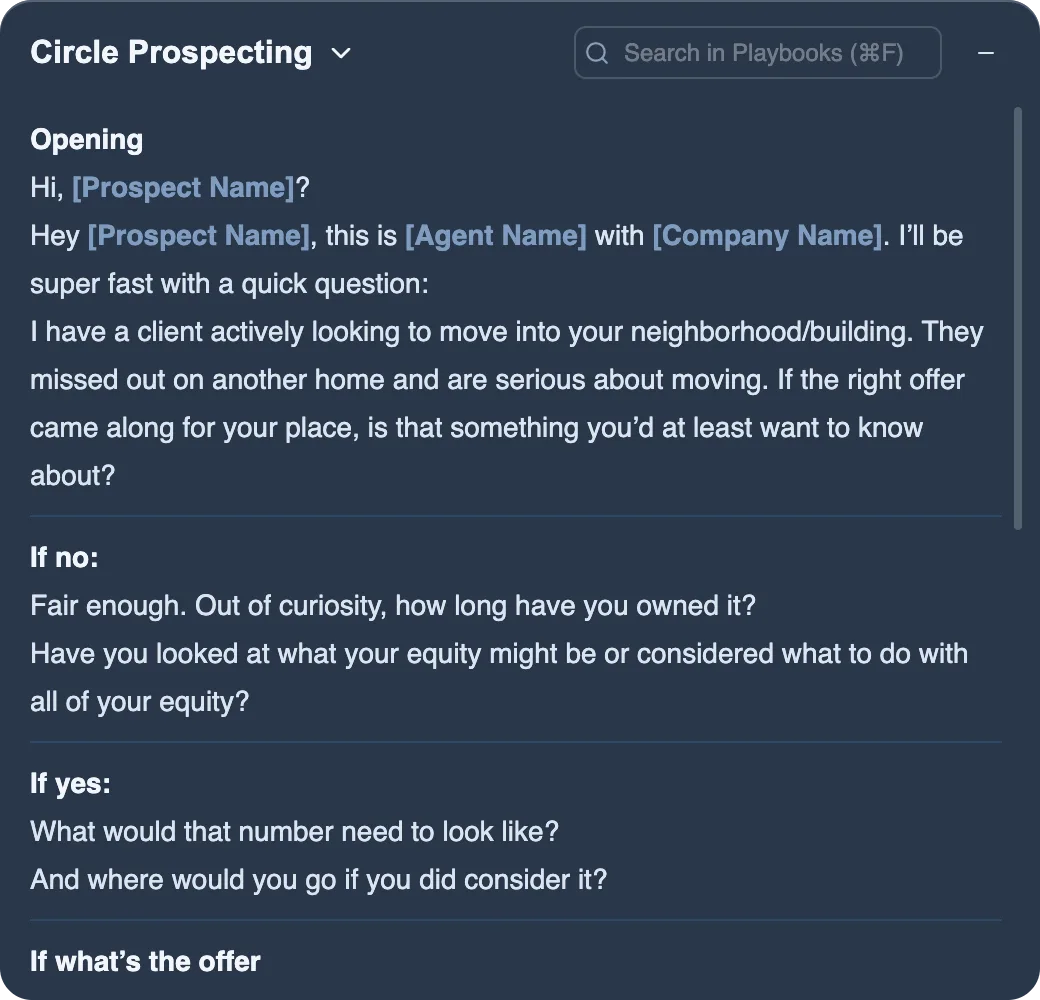
- Playbooks: keep your script on screen. Upload your expired, FSBO or circle prospecting script, or use the ready-made playbooks.
Tips
- Reset at every pickup, and set Buffer Time to 0. Press Reset when a person answers, so Cue skips the ringing, screeners and voicemail greetings before it. On a multi-line dialer, reset at every pickup. See Using Sayso during a dial block or power dialer session.
- Choose the right lead type. Expireds and FSBOs are seller calls. Circle prospecting is usually seller but can go either way. See Choose Buyer or Seller.
- Wear headphones and dial from your computer. A clean transcript keeps prompts accurate.
- Rate your prompts after the call. Ratings tell Sayso which prompts help. See Rate Cue's insights.
Was this article helpful?
Still stuck? Email support@asksayso.com or join office hours (every Wednesday at 11am PT / 2pm ET).