How companies and teams work
Updated November 23, 2026
Company
Your company is your Sayso account. It has one subscription, one pool of coaching hours each billing period, one Owner, and every agent you invite. Owners and Admins manage it on the Company page.
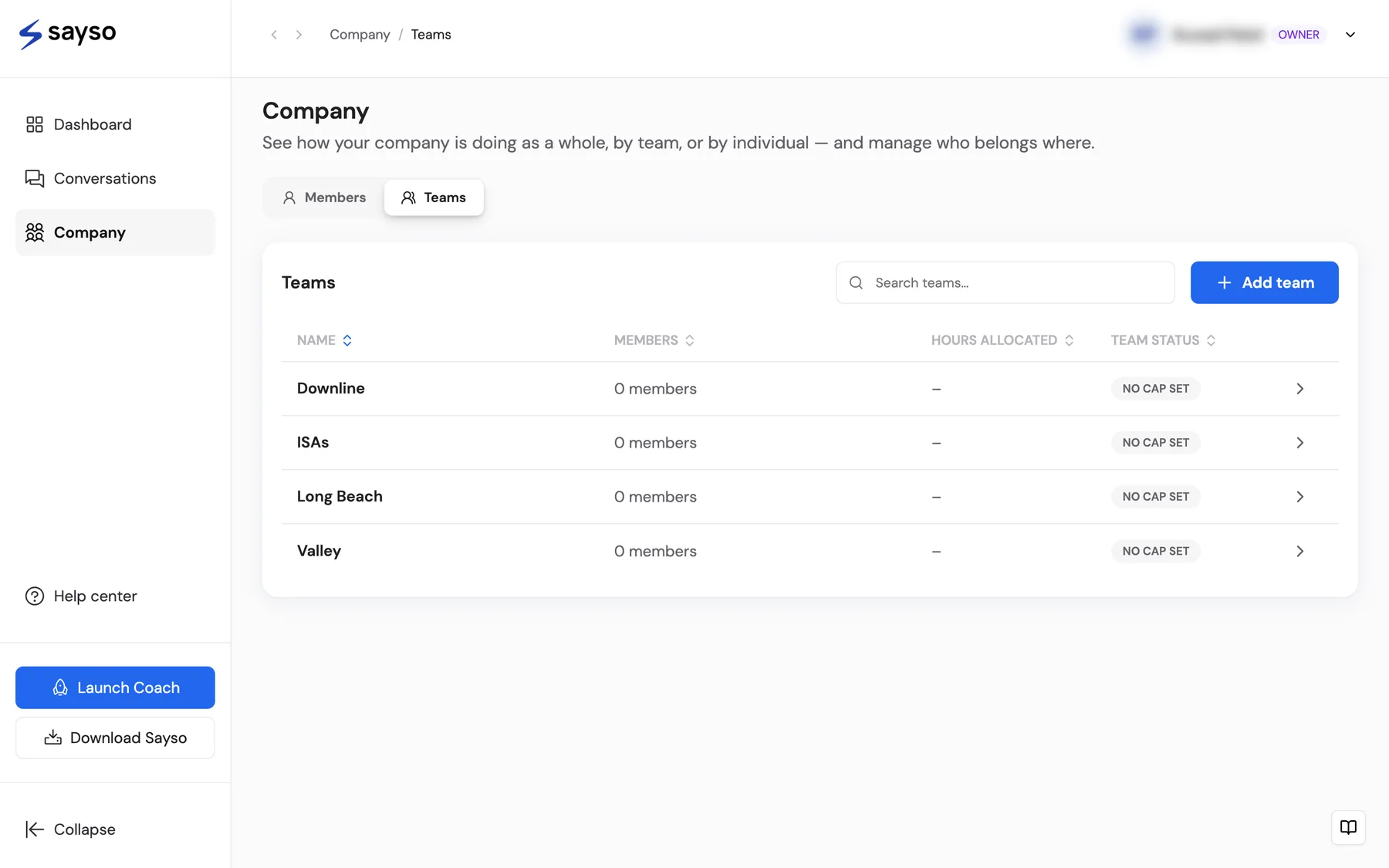
Teams
Teams are groups inside your company, for example "Buyer agents", "ISAs" or "Phoenix office". Teams are optional. Use them to:
- Filter the Dashboard and Conversations to one group.
- Set a monthly hour cap for that group, so one group can't use up the whole company's hours.
- Get a warning email when a group gets close to its cap.
A few rules:
- An agent can be on one team at a time, or on no team.
- Owners and Admins can be on a team too.
- Deleting a team never removes people from your company.
- There is no limit on how many teams you create.
Two kinds of limits
| Limit | Set by | Resets | What happens when it runs out |
|---|---|---|---|
| Company plan hours | Your subscription | Each billing period | Agents see "Your team is out of coaching minutes" and can't start sessions. |
| Team hour cap (optional) | An Owner or Admin, per team | The 1st of each month | Agents on that team see "Your team has reached its coaching hour limit" and can't start sessions. |
A team cap never adds hours to your plan. It is a way to split the plan's hours between groups.
Related
Was this article helpful?
Still stuck? Email support@asksayso.com or join office hours (every Wednesday at 11am PT / 2pm ET).