Upload and manage your playbooks
Updated November 23, 2026
You manage playbooks in the desktop app's settings.
Upload a playbook
- Open Settings from the Sayso menu or the gear in the Coach widget.
- Click Playbooks.
- Drag your file onto Drop a file here, or browse, or click browse to pick it.
- In Enter a name for this Script, give it a clear name, like "Expired Opener" or "FSBO Objections".
- Click Upload.
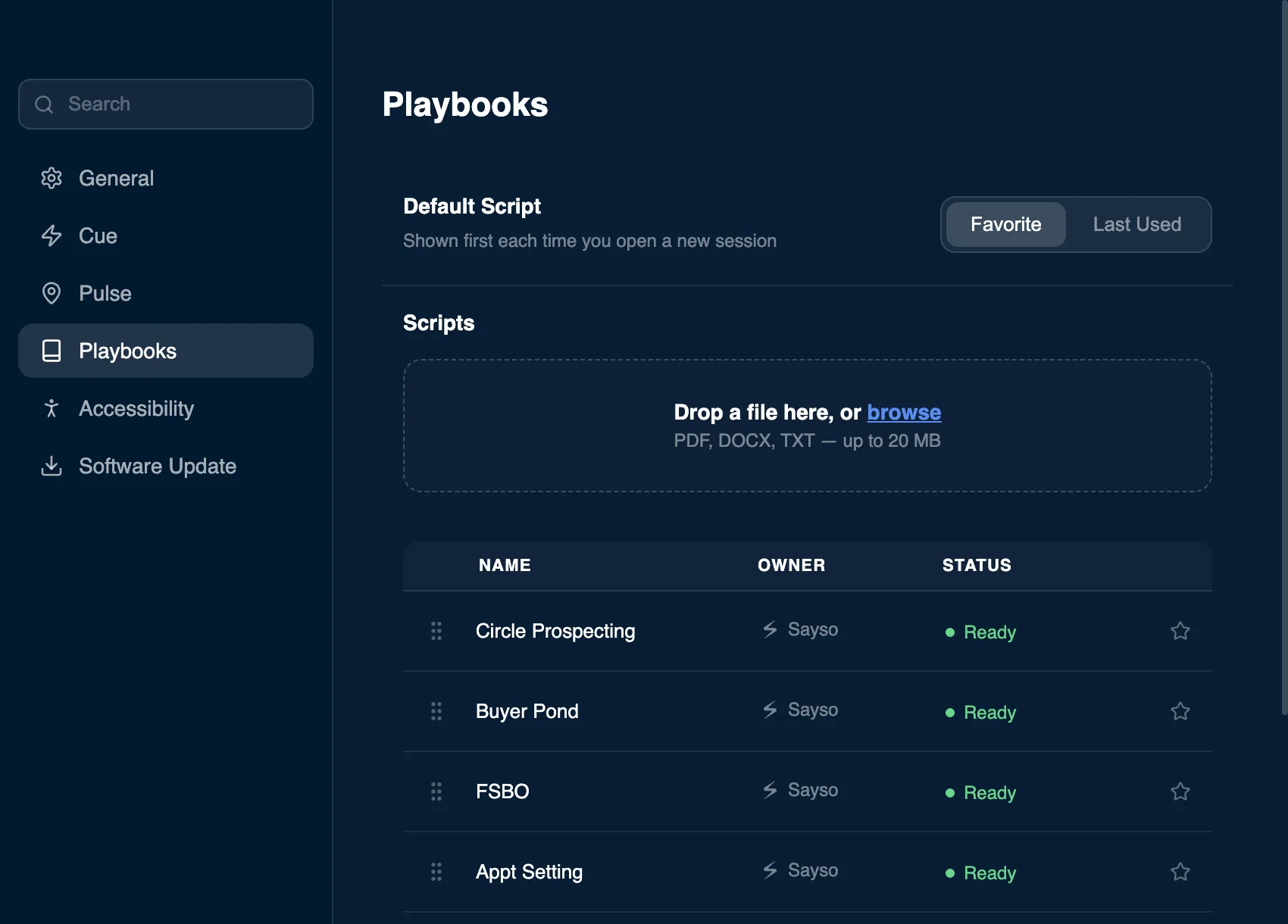
The new playbook shows Processing while Sayso prepares it, then Ready. If it shows Failed, Sayso couldn't read the file; delete it and try a cleaner version.
File rules
| Rule | Limit |
|---|---|
| File types | PDF, DOCX (Word) or TXT |
| File size | Up to 20 MB |
| How many | Up to 10 of your own playbooks, on top of Sayso's |
Using Google Docs? Download it first with File > Download > PDF Document or Microsoft Word. At 10 playbooks, Sayso shows "Limit reached" and you'll need to delete one before uploading another.
The Scripts list
Below the upload area, Scripts lists every playbook with its NAME, OWNER and STATUS. Owner is Private for ones you uploaded (only you see them) and Sayso for the ones that come with Sayso.
| To | Do this |
|---|---|
| Rename one of yours | Click the edit (pencil) icon, type the new name, click Save. |
| Choose your favorite | Click the star. Your favorite opens first when Default Script is set to Favorite. Any ready playbook, yours or Sayso's, can be the favorite. |
| Change the order | Drag a playbook by its handle. The Playbooks window lists them in this order. |
| Delete one of yours | Click the trash icon. It's removed right away, with no confirmation. |
Sayso's own playbooks can't be renamed or deleted.
Default Script
Default Script ("Shown first each time you open a new session") sets which playbook opens first: Last Used (the default) or Favorite.
Write scripts that work on a call
Playbooks show your script as written, and you read them mid-call. Before you upload:
- Remove notes to yourself, filler and anything you wouldn't say out loud.
- Split a big script book into one file per call type: expired, FSBO, buyer lead, sphere, circle prospecting.
- Use bullets and short phrases instead of paragraphs: an opener, your top objection responses, a transition into questions, and how you ask for the appointment.
Long or messy PDF? Email it to support@asksayso.com and we'll help clean it up.
Playbooks you upload are private to your account. To share a script with your team, each agent uploads their own copy. See Sharing scripts with your team.
Was this article helpful?
Still stuck? Email support@asksayso.com or join office hours (every Wednesday at 11am PT / 2pm ET).