Using Sayso for database reactivation
Updated November 23, 2026
What database reactivation looks like with Sayso
Past clients. Leads from six months ago. People you met once. Anyone in your CRM you haven't called recently. These calls skip the cold opener but need a different tone.
On these calls, Sayso prompts you to:
- Open without the awkward "long time no talk"
- Ask questions that remind them you're still in the business
- Surface referral opportunities without forcing them
- Set a coffee, a home review or a check-in
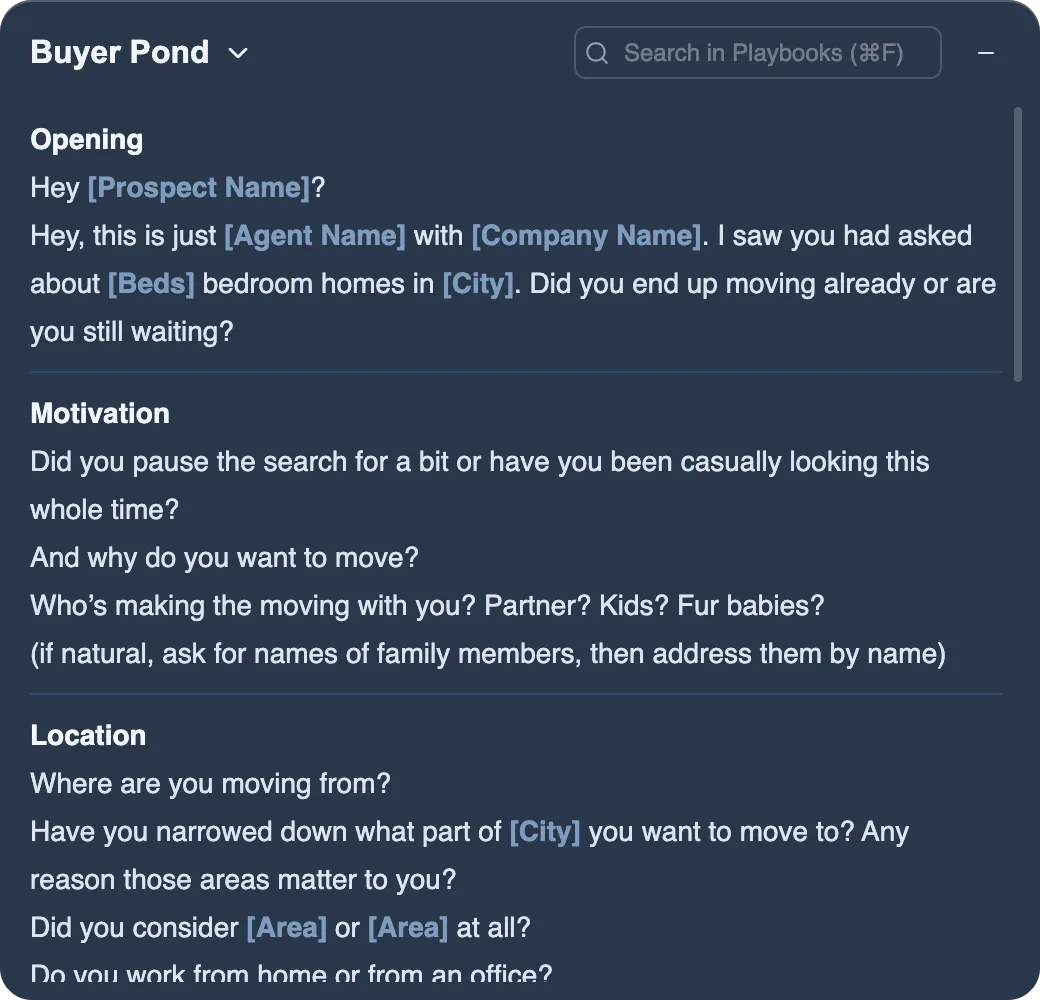
Features to have open
- Cue: prompts for the next question as the conversation moves from catch-up into discovery.
- Smart Capture: captures what's changed in their life. Send it to Follow Up Boss or Sure Send with Add lead. See Send your notes to your CRM.
- Playbooks: your reactivation script or talk track.
Tips
- Have their history open. Sayso coaches the conversation, not the relationship. Before you dial, skim their file: last purchase, property address, family names, whatever you already knew.
- Lead type depends on them. A past buyer who's been in their home five years or more might be a seller. A past seller might be a buyer. Pick the most likely outcome for this person.
- Reset at every pickup. Database calls hit a lot of voicemails. Press Reset when a person answers, with Buffer Time at 0.
- Rate your prompts after the call. Ratings tell Sayso which prompts help.
Was this article helpful?
Still stuck? Email support@asksayso.com or join office hours (every Wednesday at 11am PT / 2pm ET).