Keyboard shortcuts
Updated November 23, 2026
Open and close Sayso windows
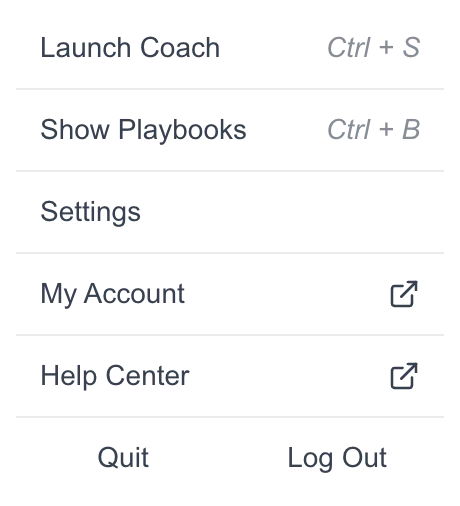
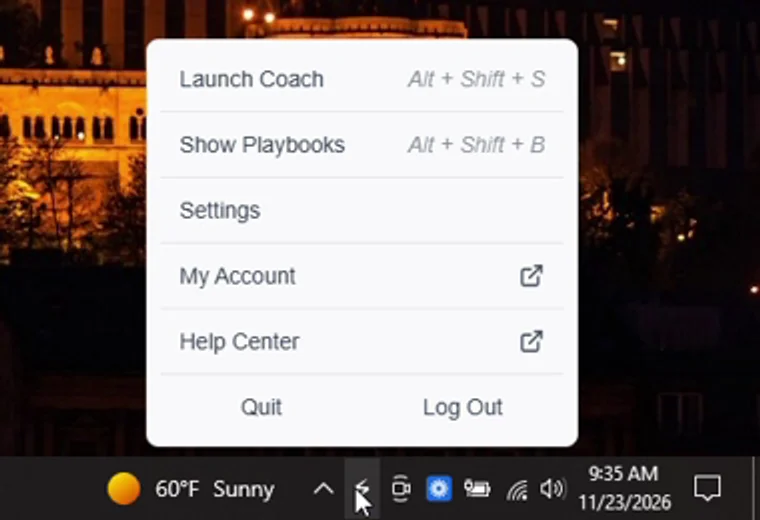
These work from any app while Sayso is running, even when your dialer or CRM is in front. Press the same shortcut again to close the window.
| Action | Mac | Windows |
|---|---|---|
| Open or close the Coach widget | Ctrl + S | Alt + Shift + S |
| Open or close Playbooks | Ctrl + B | Alt + Shift + B |
On a Mac, the shortcut uses the Control key, not ⌘ Command. ⌘ Command + S still saves in your other apps as usual.
The shortcuts do nothing while you're signed out, while your account has no active subscription, or while Sayso is reconnecting to the internet. The Playbooks shortcut also needs Playbooks to be included in your account. Shortcuts can't be changed.
Close the Coach widget only after you Stop
Pressing the Coach widget shortcut during a session closes the Coach widget. Click Stop first so your conversation is saved. See Stop a session.
Search inside a playbook
| Action | Mac | Windows |
|---|---|---|
| Jump to the search box | ⌘ + F | Ctrl + F |
| Next match | Enter or ⌘ + G | Enter or Ctrl + G |
| Previous match | Shift + Enter or ⌘ + Shift + G | Shift + Enter or Ctrl + Shift + G |
| Clear the search | Esc | Esc |
See Playbooks for more.
Was this article helpful?
Still stuck? Email support@asksayso.com or join office hours (every Wednesday at 11am PT / 2pm ET).