Sayso cheat sheet: rules that matter
Updated November 23, 2026
The six rules
- Wear headphones. On speakers, your mic picks up the person on the call too, which creates echo and doubles the transcript. Wired or Bluetooth both work.
- Call from your computer. Dial from your CRM or dialer on the computer, with its calling option set to internet or computer, not "always use mobile phone". If the call rings on your cell phone, Sayso can't hear it.
- Use Google Chrome for the web app, your CRM and your dialer.
- Press Reset every time a new person picks up. Don't press it in the middle of a conversation. If you skip it, Sayso treats the new person as part of the last conversation.
- Find your notes in Conversations. Every conversation is saved in Conversations at app.asksayso.com.
- Let your antivirus through on install. If the install is blocked (common on Windows with PC Matic or McAfee), add Sayso to the allow list or pause your antivirus during the install, then turn it back on.
Every dial block
- Headphones on, mic selected.
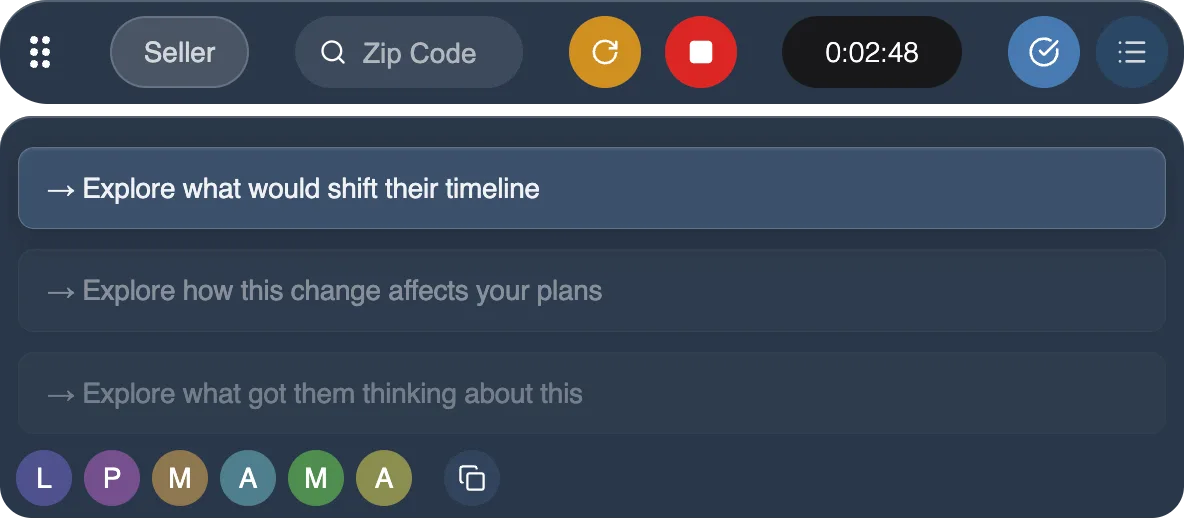
- Open the Coach widget: Control + S on Mac, Alt + Shift + S on Windows, or Launch Coach from the Sayso menu. Playbooks: Control + B on Mac, Alt + Shift + B on Windows.
- Click Start for Seller or Start for Buyer. The lead type can't change during a session, so group your calls.
- Give prompts about 30 seconds to warm up.
- A new person picks up: press Reset (the orange button).
- Done for the day: press Stop (the red button). Leave Auto Stop on to end a session if you walk away.
During the call
- Follow your script and glance at prompts during pauses. Don't read prompts word for word.
- Try Condensed prompts (Settings, Cue, Prompt Style): short directions you say in your own words.
- Buffer Time: if you press Reset right when someone picks up, set it to 0.
- Pin a prompt you want to keep, close one you don't need.
- Keep your CRM in a normal window, not full screen, or the Coach widget can hide behind it.
Quick fixes
| What you see | What to do |
|---|---|
| Notes fill in, no prompts | Sayso isn't hearing you. Check your mic and permissions. |
| Nothing from the other person | The call isn't playing through the computer. Check your dialer setting. On Mac, check Screen & System Audio. |
| Echo or repeated transcript | Put headphones on. |
| "Book the appointment" right after hello | Press Reset at every pickup. |
| Coach won't open | Quit Sayso fully from the Sayso menu and reopen it. |
| "Windows protected your PC" | Click More info, then Run anyway. |
More detail: Set up your audio, When to hit Reset, Why am I not seeing prompts?
Was this article helpful?
Still stuck? Email support@asksayso.com or join office hours (every Wednesday at 11am PT / 2pm ET).