Account Settings, tab by tab
Updated November 23, 2026
Open Account Settings from your name in the top-right corner of the web app > Account Settings. On a computer it opens as a window over the page you were on. On a phone it opens as its own page.
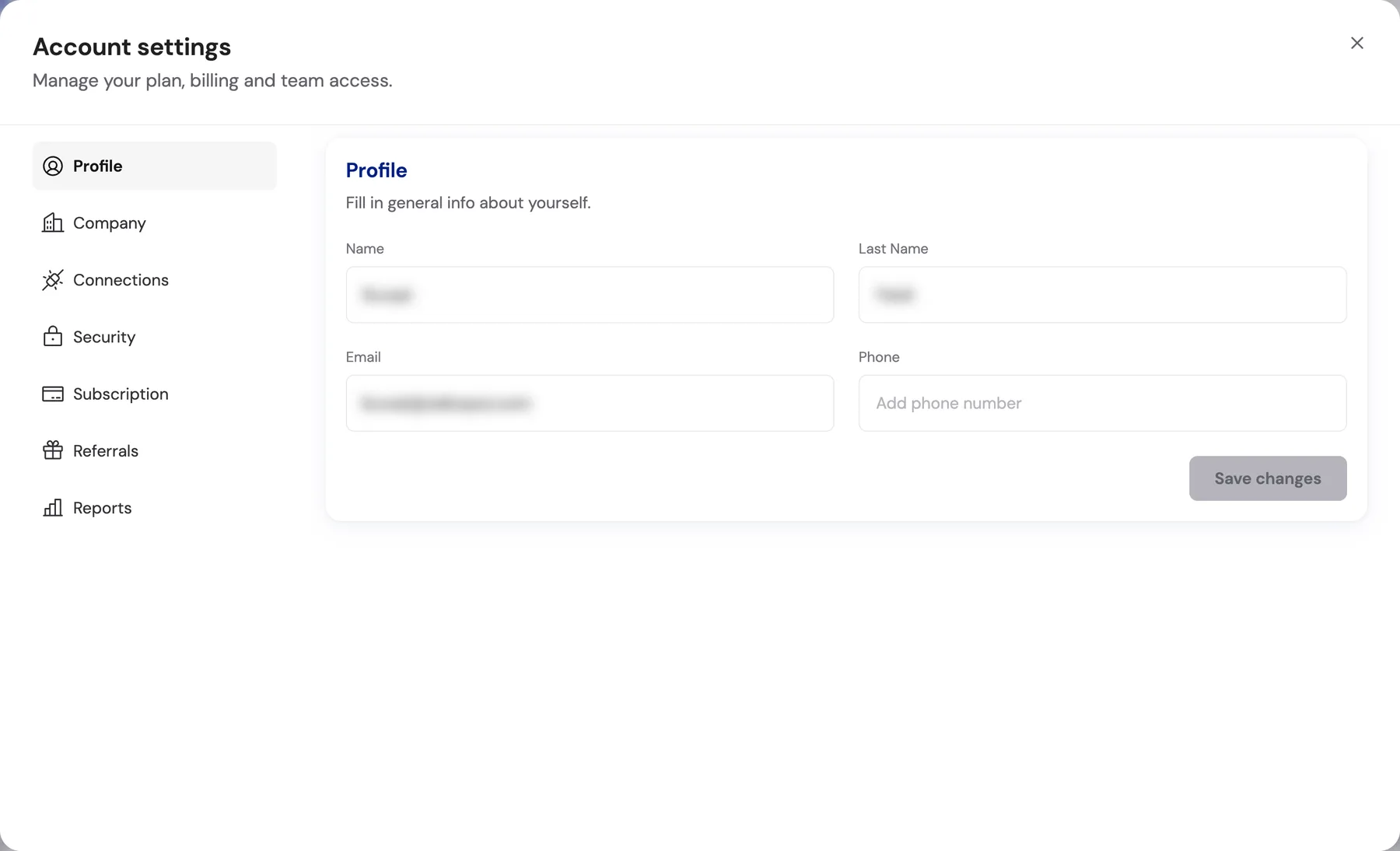
The tabs
| Tab | What you do there | Who sees it |
|---|---|---|
| Profile | Edit your name and phone. Your email shows here but can't be changed. Details | Everyone |
| Company | Rename your company. Details | Team owners |
| Connections | Connect Follow Up Boss or Sure Send, or request another integration. Details | Everyone |
| Security | Turn on two-factor authentication and change your password. Details | Everyone |
| Subscription | See your plan, usage and invoices, and manage billing. Details | Individual accounts and team owners |
| Referrals | Copy your referral link. Details | Individual accounts, team owners and admins |
| Reports | Turn weekly or monthly email reports on or off. Details | Team owners and admins |
If a tab in this list is missing for you, your role doesn't include it.
Settings in the desktop app
Coaching settings such as Prompt Style, Buffer Time, Auto Stop, meeting detection and your playbooks live in the desktop app, not the web app. See Desktop settings overview.
Related
Was this article helpful?
Still stuck? Email support@asksayso.com or join office hours (every Wednesday at 11am PT / 2pm ET).