Prompt Style: Full Insights or Condensed
Updated November 23, 2026
Prompt Style changes how much Cue says in each insight.
| Style | What you get | Example |
|---|---|---|
| Full Insights | A complete suggestion with context. This is the default. | "Ask 'What got you thinking about moving initially?' to uncover their motivation without pushing." |
| Condensed | A short direction you say in your own words. Condensed also skips some types of prompts to keep things lean. | "Ask about timing." |
Recommended: Condensed
On live calls, Condensed keeps you in the conversation: you get the idea and say it your way instead of reading a paragraph while the lead is talking.
Full Insights is useful when you're learning how a conversation should flow, like practicing with a roleplay partner or studying prompts after a call.
Change it
- Open Settings from the Sayso menu or the gear in the Coach widget.
- Click Cue.
- Under Prompt Style, choose Full Insights or Condensed.
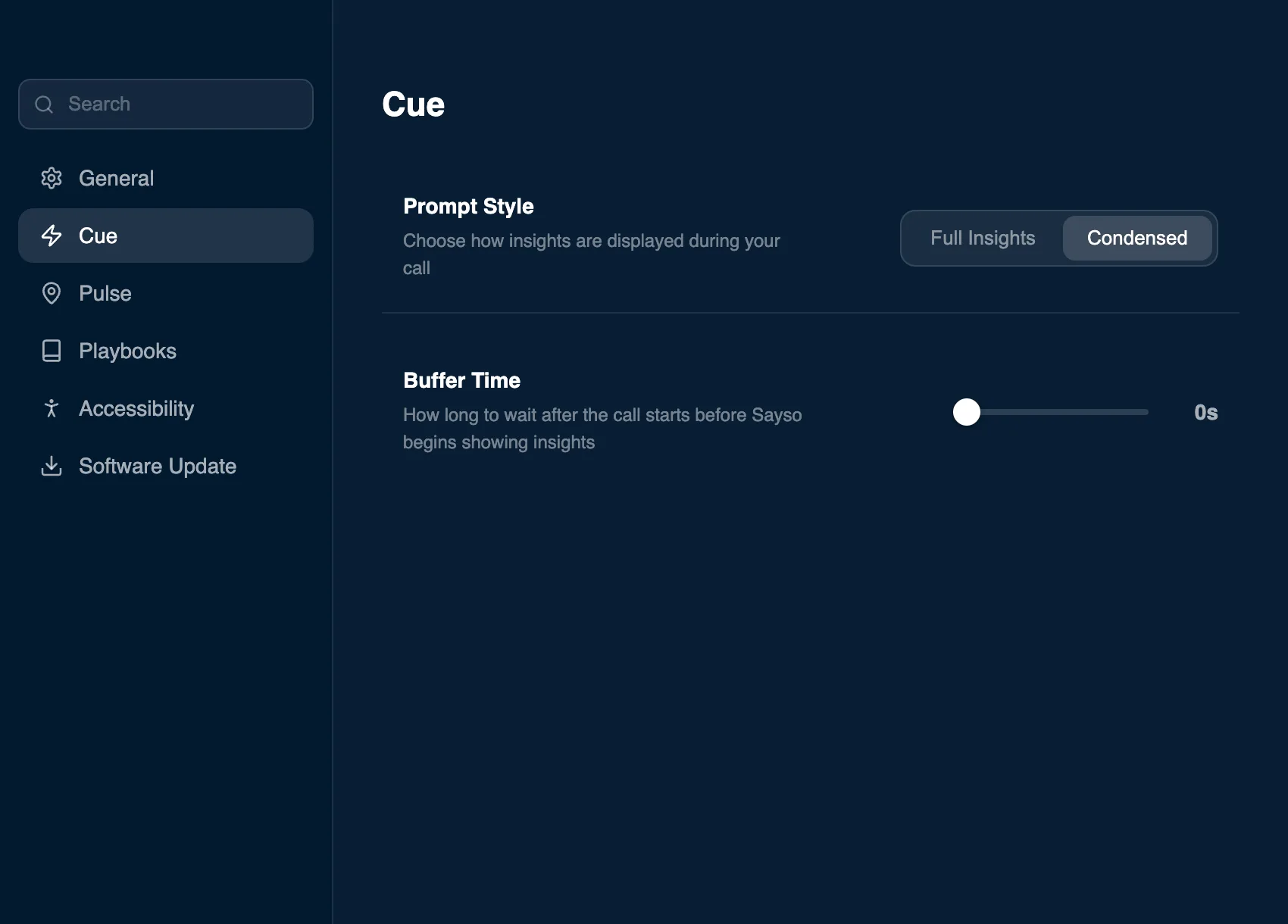
The change applies to the next session you start, and it's saved to your account.
Was this article helpful?
Still stuck? Email support@asksayso.com or join office hours (every Wednesday at 11am PT / 2pm ET).