Rate Cue's insights
Updated November 23, 2026
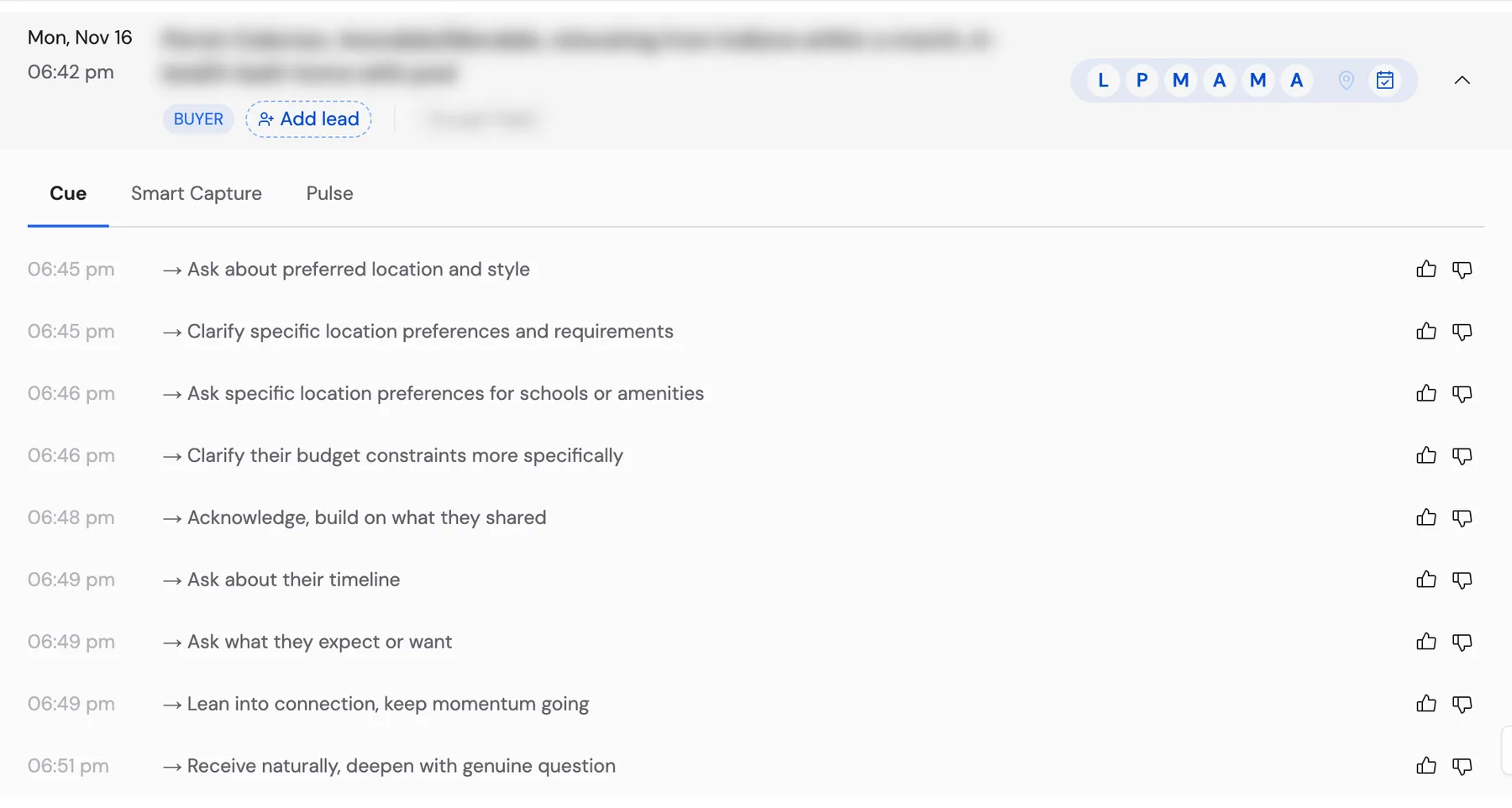
Every insight Cue showed you during a call is listed on the Cue tab of that conversation, with the time it appeared. Your ratings tell us which prompts helped and which missed.
Rate an insight
- Open Conversations and click a call.
- Stay on the Cue tab.
- Next to an insight, click thumbs up or thumbs down.
Your rating saves when you click. Click the same thumb again to clear it, or click the other thumb to change it.
What to rate
- Thumbs up: the insight fit the moment, you used it, or it helped you steer the call.
- Thumbs down: it came too late, didn't fit the conversation, or repeated something you'd already covered.
You don't have to rate every insight. A few ratings after each dial block are enough.
Who can rate
- You can only rate insights on your own calls. Team owners and admins can read their agents' insights but can't rate them.
- If a call shows No coaching insights recorded for this conversation., Cue didn't show anything on that call.
Related
Was this article helpful?
Still stuck? Email support@asksayso.com or join office hours (every Wednesday at 11am PT / 2pm ET).